Chapter 4. Using the Configuration Manager RX3141 User’s Manual
22
4.3 Overview of System Configuration
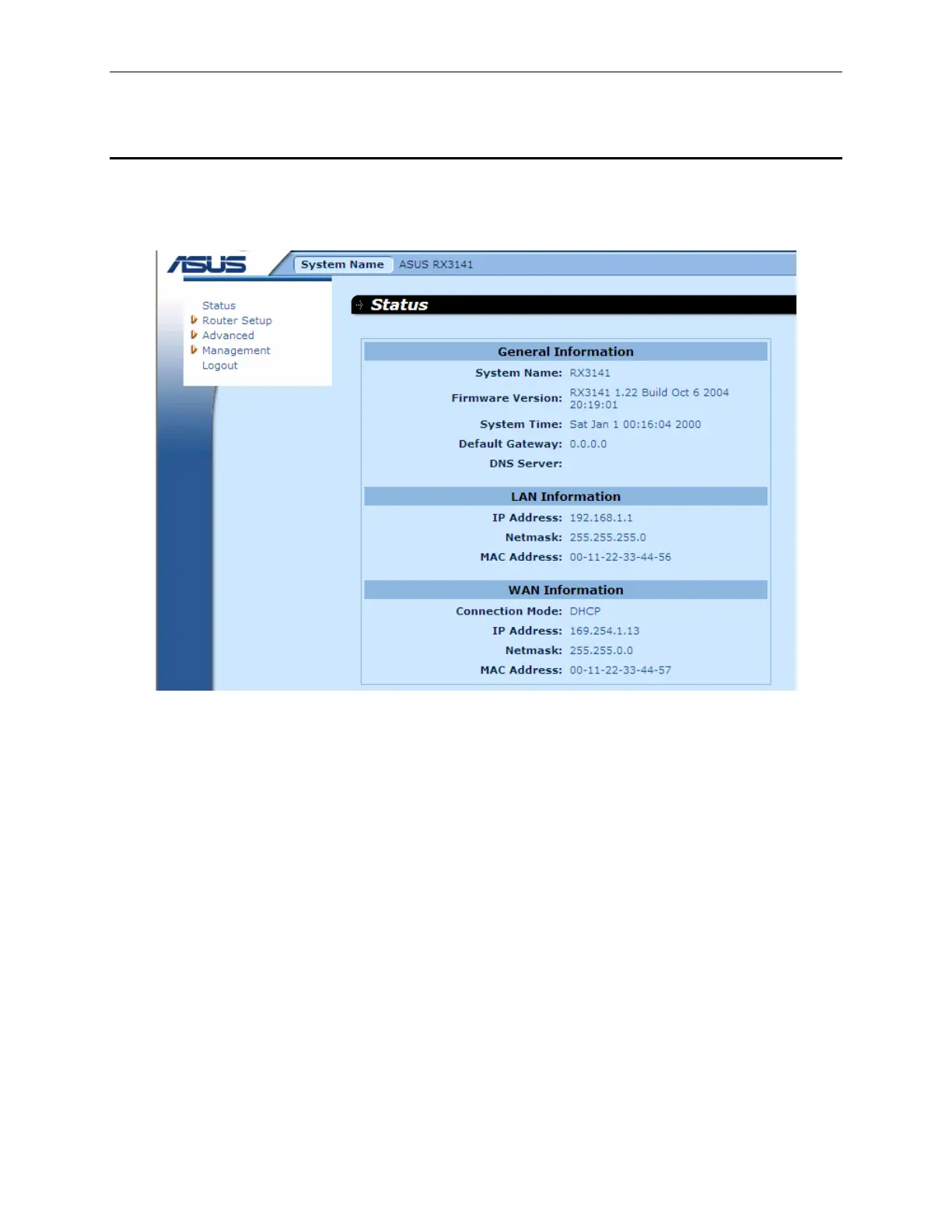
To view the overall system configuration, log into the Configuration Manager, and then click
Status
menu.
Figure 4.3 shows sample information available in the System Information page.
Figure 4.3. System Information Page


 To Next Page