RX3141 User’s Manual Chapter 11. System Management
81
11.7.2 Restore System Configuration
Follow the steps below to backup system configuration:
1. Open the
System Configuration Backup/Restore configuration page by double clicking the
Management Î Backup/Restore menu.
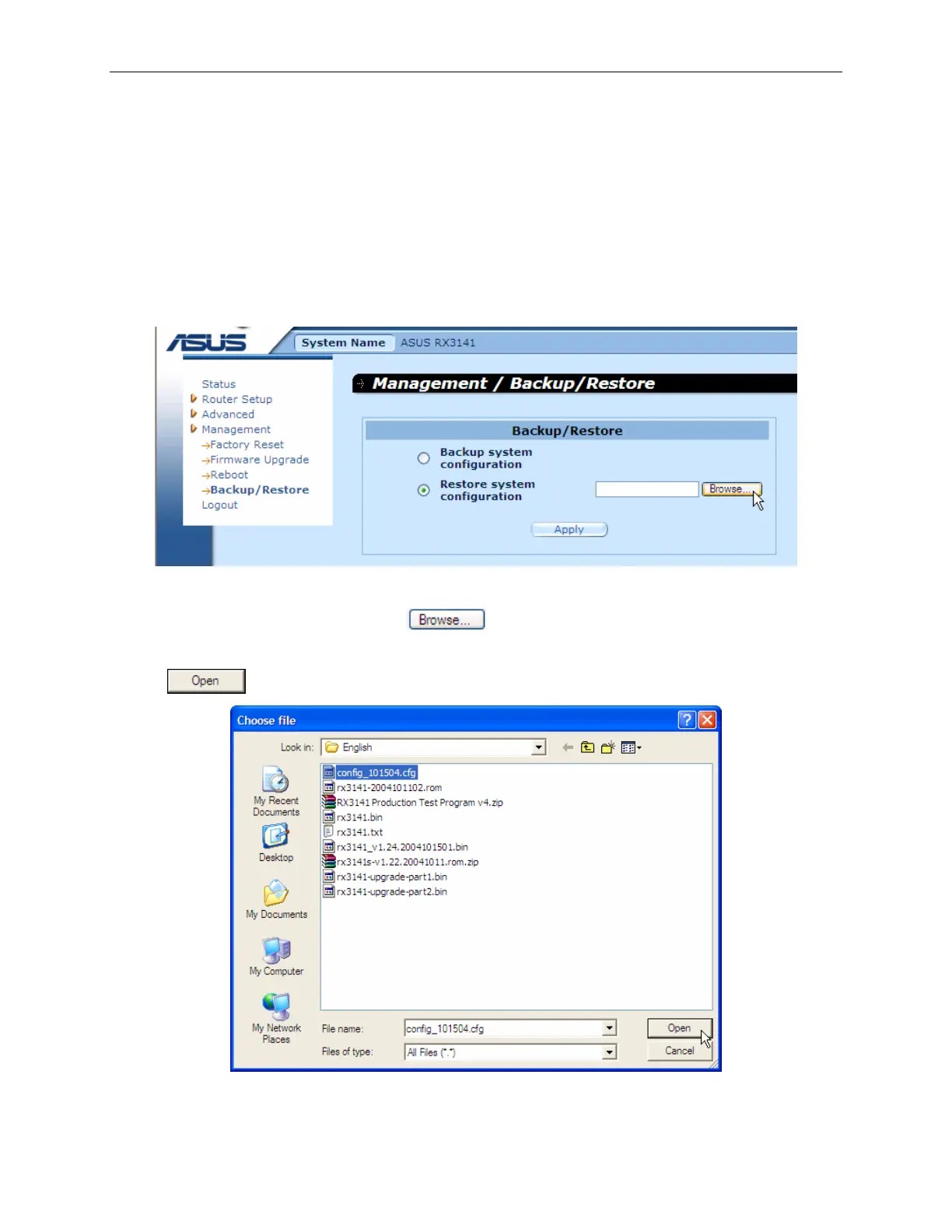
2. Enter the path and filename of the system configuration file that you want to restore in the text
field.
Figure 11.19. System Configuration Restore Page
Alternatively, you may click on the
button to search for the system configuration file
on your computer. A window similar to the one shown in Figure 11.20 will pop up for you to select
the configuration file to restore. Select the desired configuration file, and then click on the
button to continue.
Figure 11.20. System Configuration Restore Page – Choose File Dialog



 To Next Page