RX3141 User’s Manual Chapter 11. System Management
79
11.7 . System Configuration Management
11.7.1 Backup System Configuration
Follow the steps below to backup system configuration:
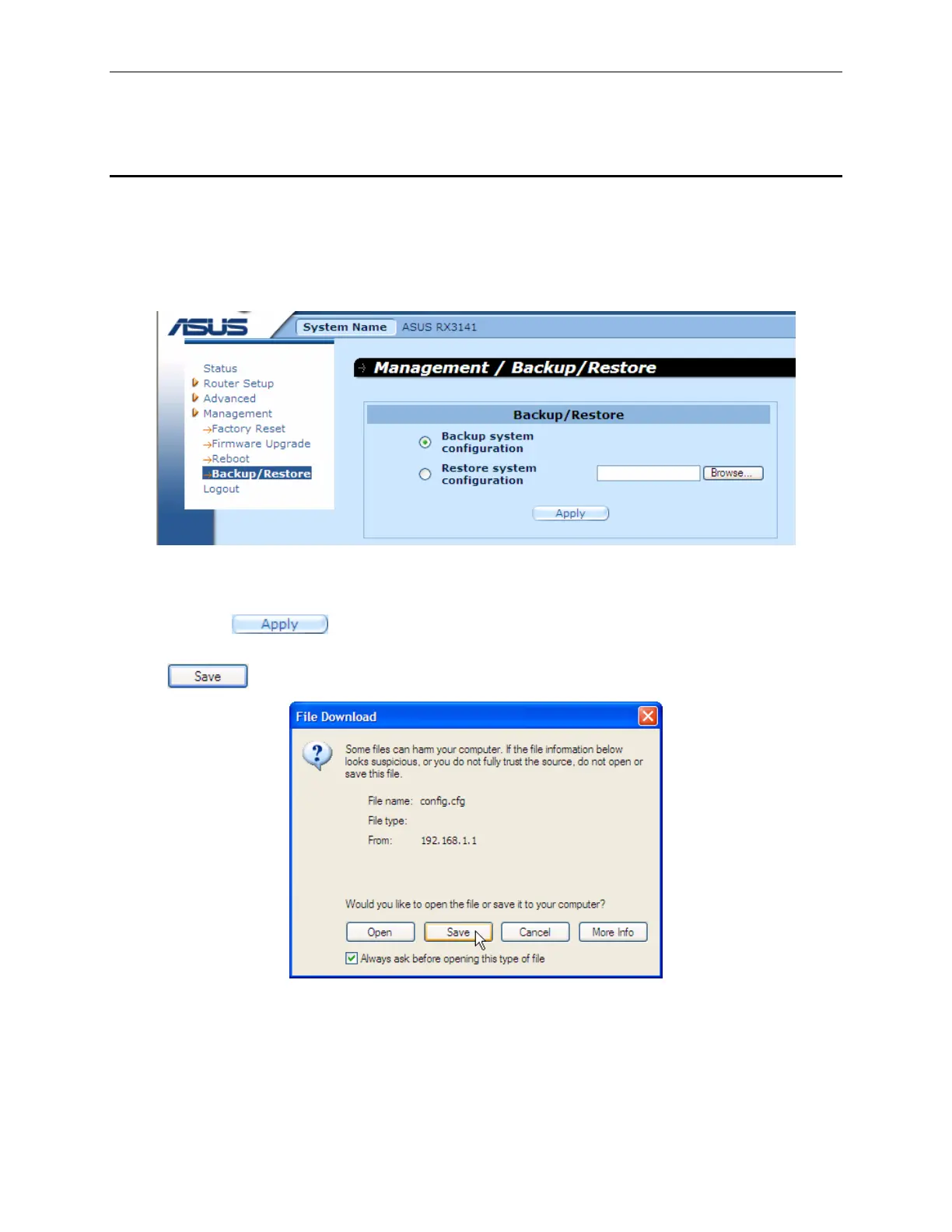
1. Open the System Configuration Backup/Restore page, as illustrated in Figure 11.15, by double
clicking the Management Î Backup/Restore menu.
Figure 11.15. System Configuration Backup Page
2. Click the “
Backup system configuration” radio button.
3. Click the
button to backup the system configuration.
4. If you are using Microsoft Windows, a “
File Download” dialog window will pop up, click on the
button as illustrated in Figure 11.16.
Figure 11.16. System Configuration Backup Page – File Download Dialog



 To Next Page