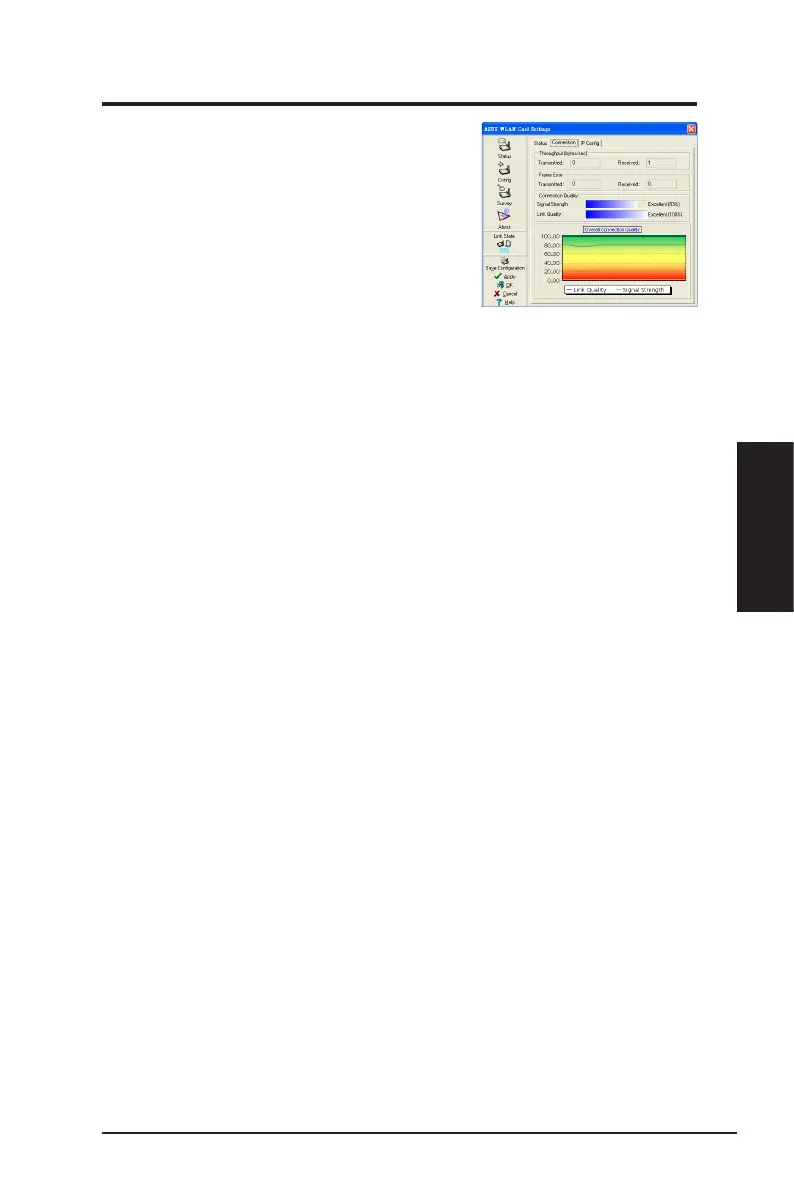
Status - Connection
You can view the current link statistics about the network
adapter. These statistics are updated once per second
and are valid if the Network adapter is correctly installed.
Throughput
Transmitted
: The number of frames that are
transmitted.
Received
: The number of frames that are received.
Frame Error
Transmitted
: The number of frames that are not successfully transmitted.
Received
: The number of frames that are not successfully received.
Connection Quality
Signal Strength/Link Quality:
Shows the signal strength/link quality of the access
point or Ad Hoc node the Network adapter is currently connected to. Ratings are:
Excellent, Good, Fair, and Poor.
Overall Connection Quality
The overall connection quality is derived from the current signal strength. A graphic
chart uses percentage to show signal quality.
ASUS Network adapter 31
Chapter 3 - Software Reference
Chapter 3
Software Reference


 To Next Page