Soft AP (Windows XP/Vista)
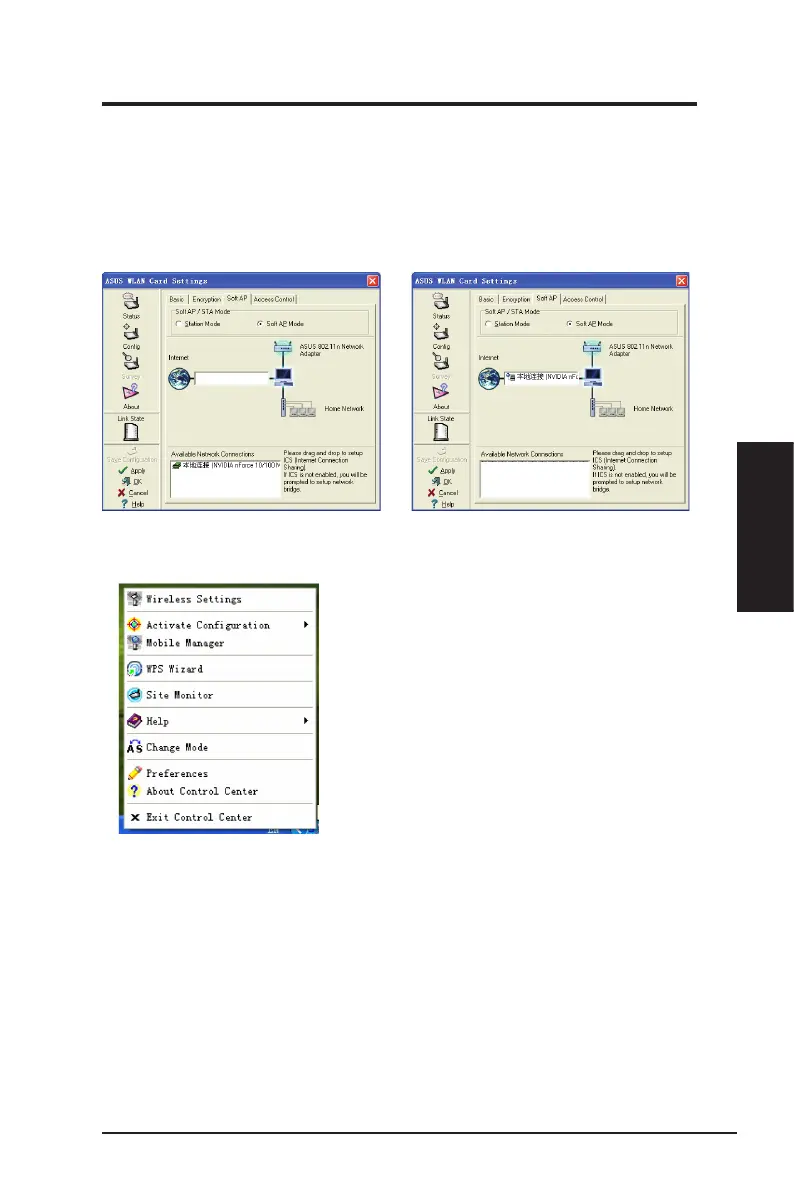
Soft AP mode allows the Wireless LAN card to act as a virtual access point. The
computer needs to be connected to a wired network using an Ethernet connection
in order to provide network access to Wireless LAN clients.
1. Select
Soft AP Mode
.
2. Drag and drop a wired network
connection next to the globe icon.
ASUS Network adapter 39
Chapter 3 - Software Reference
Chapter 3
Software Reference
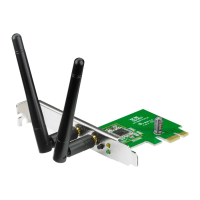
3. Right-click the taskbar icon and
select
A-S Change Mode
to easily
switch between Soft AP and Station
modes.


 To Next Page