Windows
®
7 wireless options
Windows
®
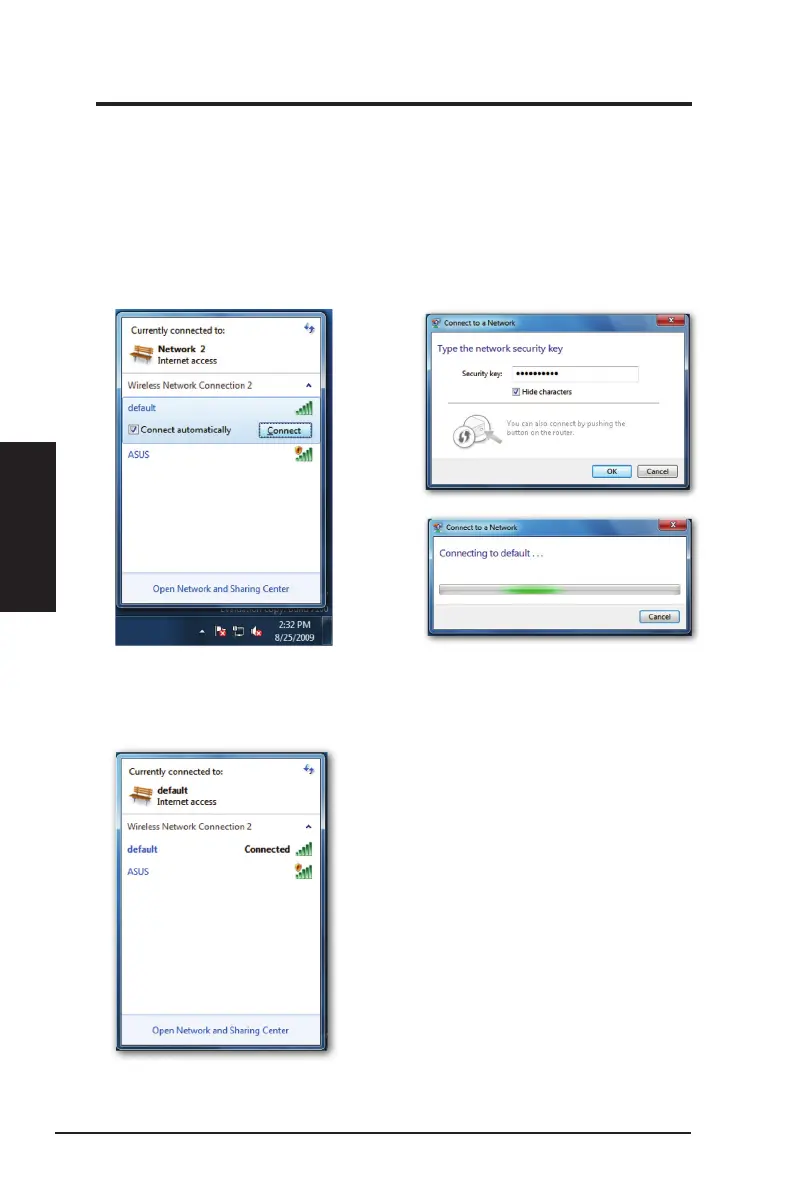
7 allows you to connect to a wireless network using the WPS function.
1. Right-click the network icon in the
notication area, then select
Open
Network and Sharing Center
.
Click
Connect to a network
, select
the AP and click
Connect
.
2. Key in the security key, then click
OK
. You may also press the WPS
button on the access point and the
network adapter to establish the
WiFi connection.
The picture below indicates that you
have successfully connected to the
wireless network.
60 ASUS Network adapter
Chapter 3 - Software Reference
Chapter 3
Software Reference


 To Next Page