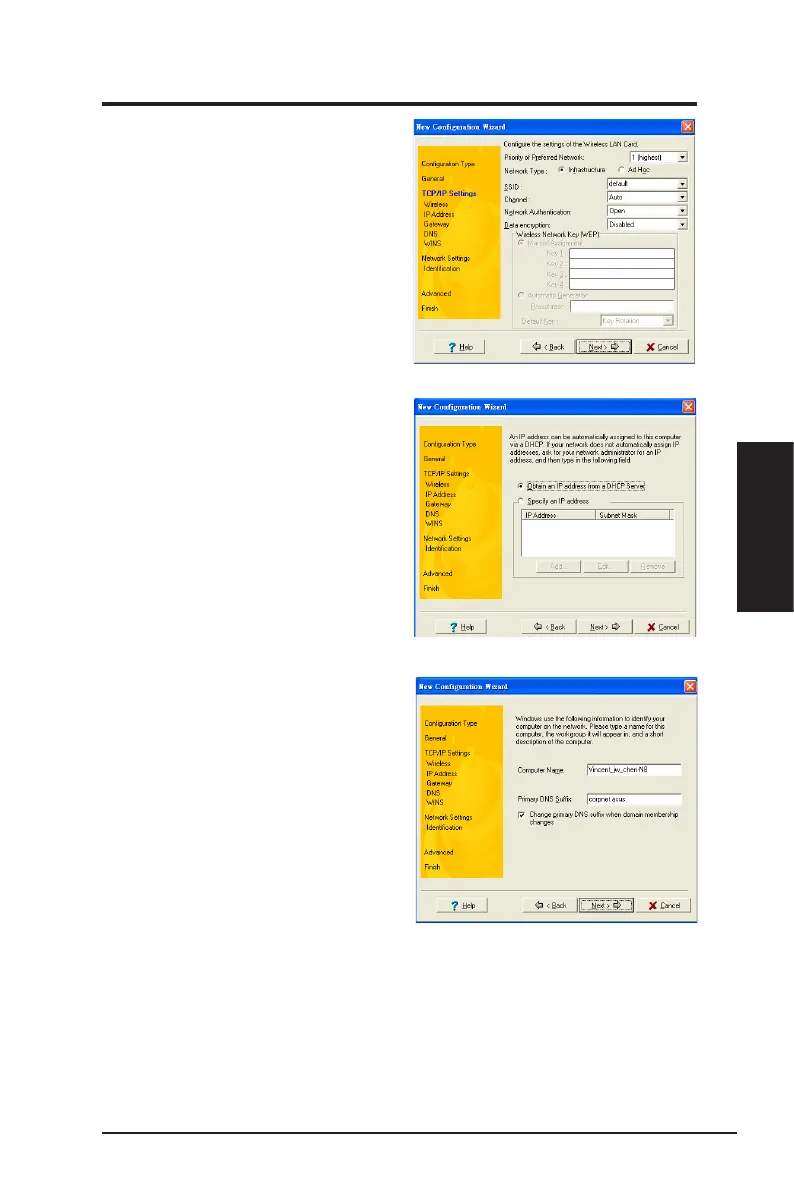
4. Configure the wireless settings
including the network type, SSID,
channel and WEP encryption. Click
Next
when done.
5. S e t t h e I P a d d r e s s o f t h e
configuration type. Specify the
I P a d d r e s s u s i n g t h e D H C P
server (automatic) or assign it
manually. The wizard auto-detects
and displays the current system
settings. Click
Next
when done.
6. Key in the computer name, then
click
Next
.
ASUS Network adapter 47
Chapter 3 - Software Reference
Chapter 3
Software Reference


 To Next Page