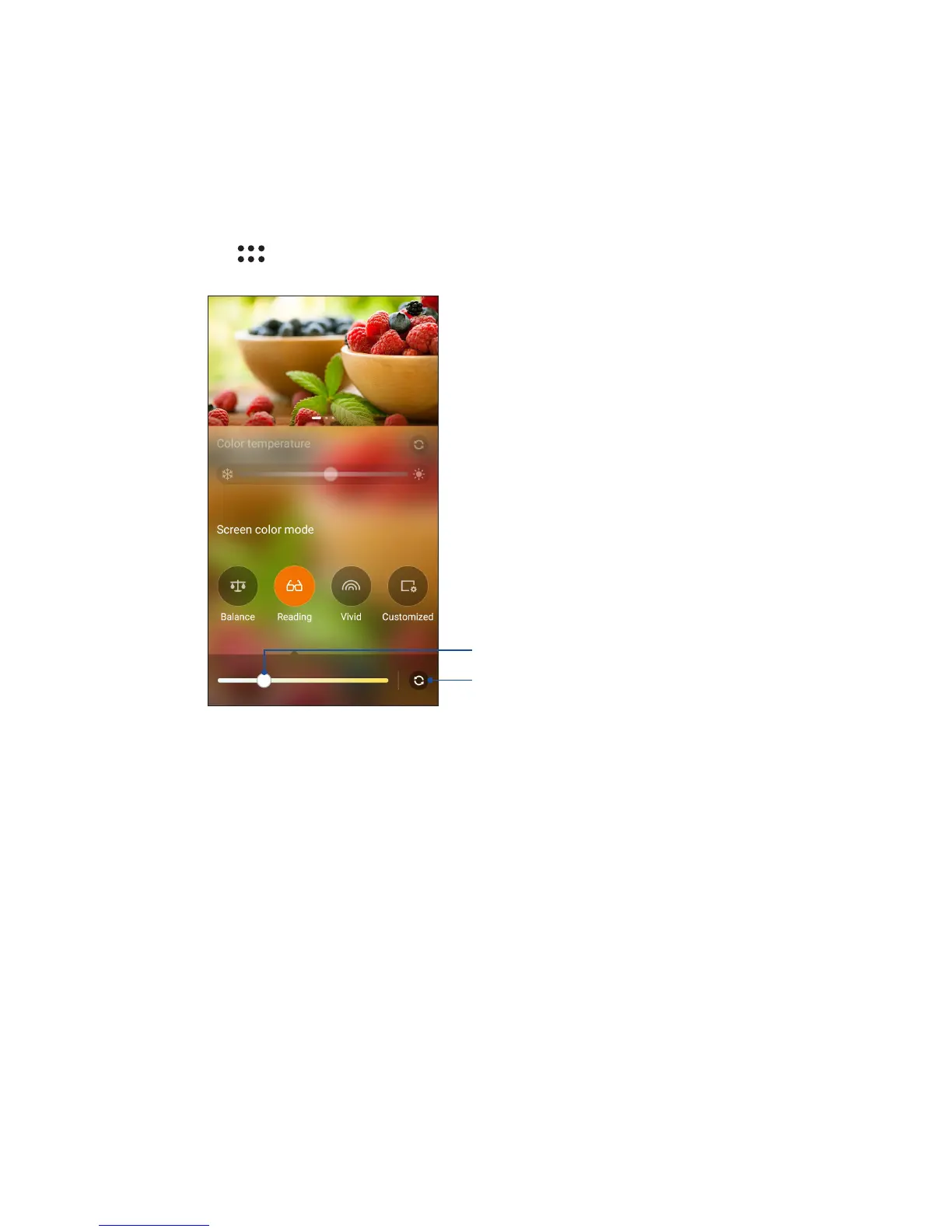
Reading Mode
Turn on the Reading Mode to automatically optimize the color of the screen for a more comfortable
reading experience.
From your Home screen, do any of the following to enable the Reading Mode:
• Tap Reading mode from the Quick settings panel.
• Tap > Splendid > Reading.
Move to adjust the screen yellowish level
Tap to reset to factory defaults









 To Next Page