Setting up a conference call
Your ASUS Phone, together with its GSM capability, can set up a conference call of up to five (5)
people. During a call, you can add more contacts and merge all calls into one conference call.
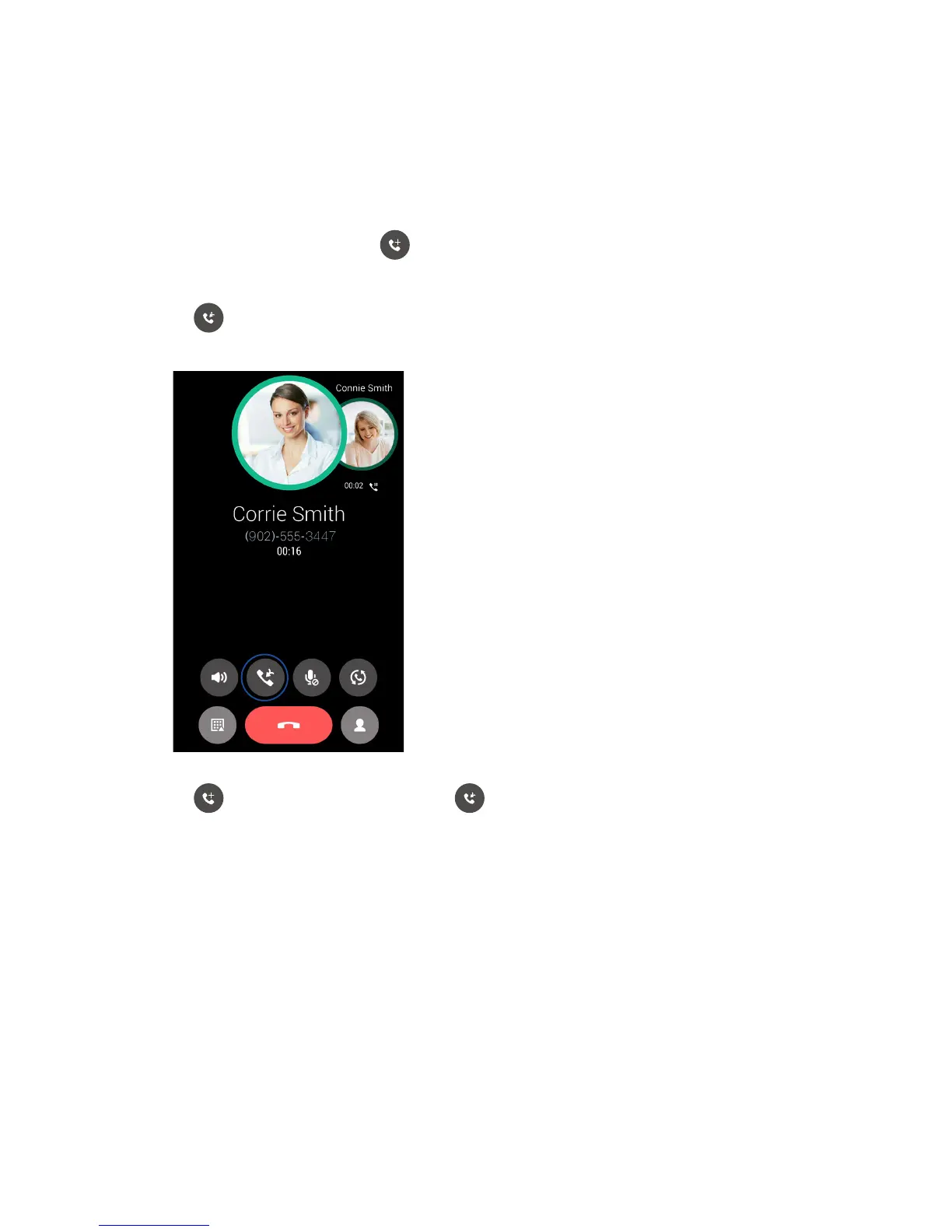
1. Call a contact or dial a number. Wait for the other line to answer your call.
2. When your call is answered, tap then tap a contact or dial a number that you wish to
include in your conference call.
3. Tap to put the two calls in a conference call.
4. Tap to add another contact, then tap to merge the call to the current conference call.
Repeatthisstepifyouwanttoaddmorecontact/stoyourconferencecall.














 To Next Page