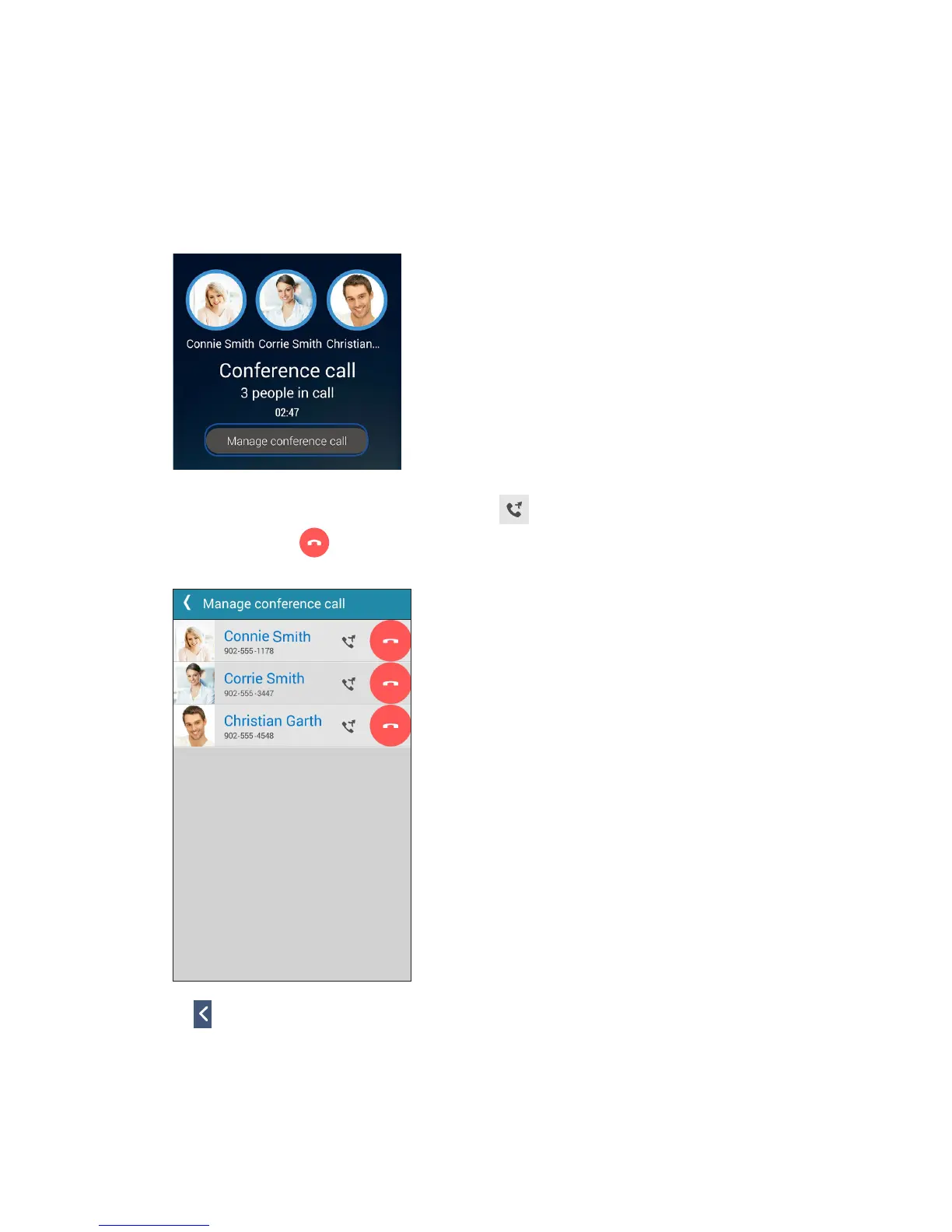
Managing a conference call
During the conference call, you can separate the contact from the conference group for private
conversation, or disconnect a contact from the conference call.
1. From the Conference call screen, tap Manage conference call to open a list of contacts in the
conference call.
2. To remove a contact from the conference call, tap . To disconnect a contact from the
conference call, tap .
3. Tap to go back to the Conference call screen.














 To Next Page