Getting the weather updates
Get real-time AccuWeather® updates, every hour or up to 12 hours, for your current location or
for other parts of the world. You can make plans for up to seven (7) days with the 7-day weather
forecast or dress appropriately based on AccuWeather RealFeel® temperature. You can also get
the real-time UV index or air pollution index, letting you take the necessary protective measures
against harmful ultra-violet rays or air pollutants.
1. Before getting the weather updates, ensure the following:
• Wi-Fi or mobile network is turned on when you are indoors and GPS is turned on when
you are outdoors.
• Turn on the location access from > Settings > Location.
2. Launch the Weather app in any of these two ways:
• Tap > Weather.
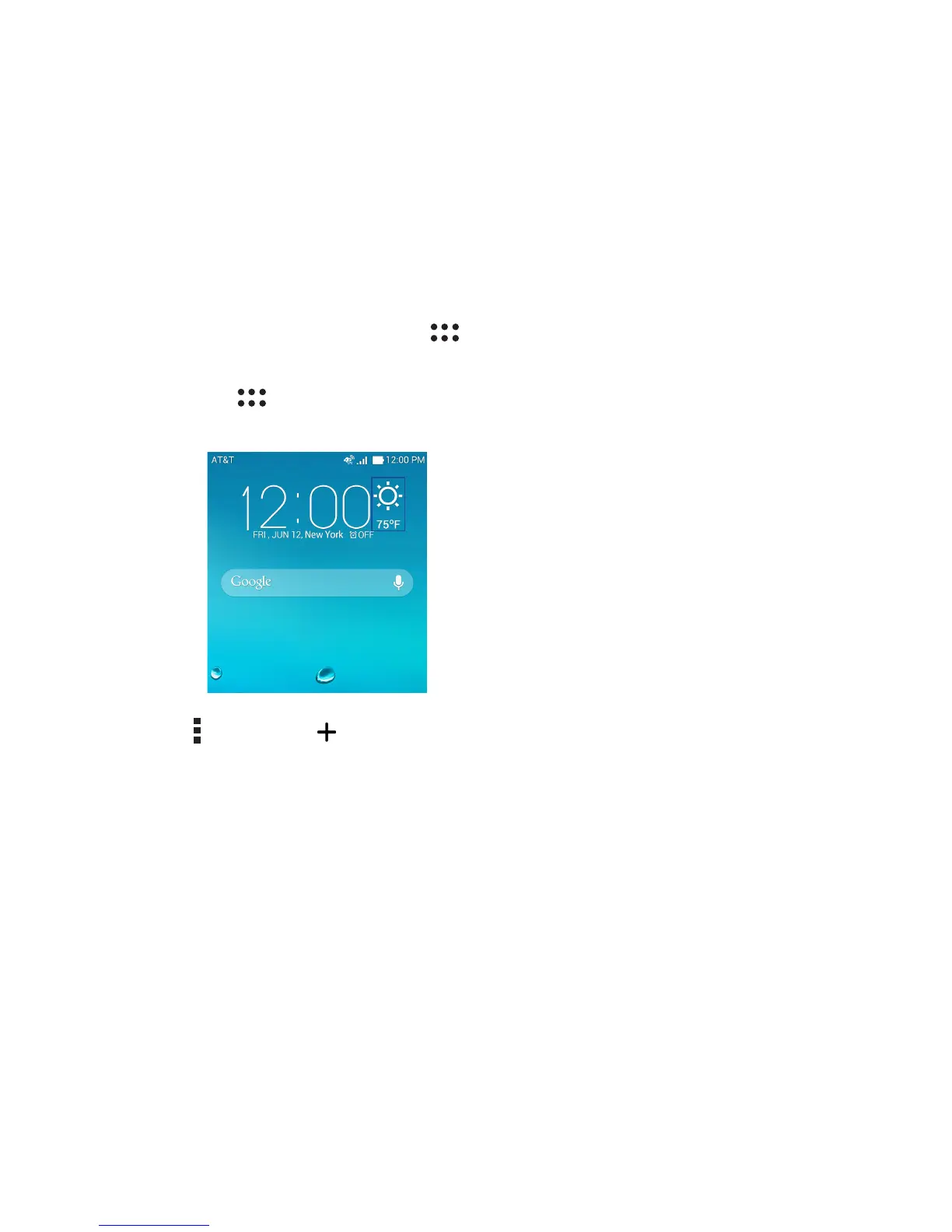
• From your ASUS Phone’s home screen, tap the weather icon.
3. Tap > Edit then tap .
4. In the search box, enter the city or area whose weather updates you want search for.
5. Wait for a while your ASUS Phone gets the weather information. The city or area’s weather data
will be added to your location list.














 To Next Page