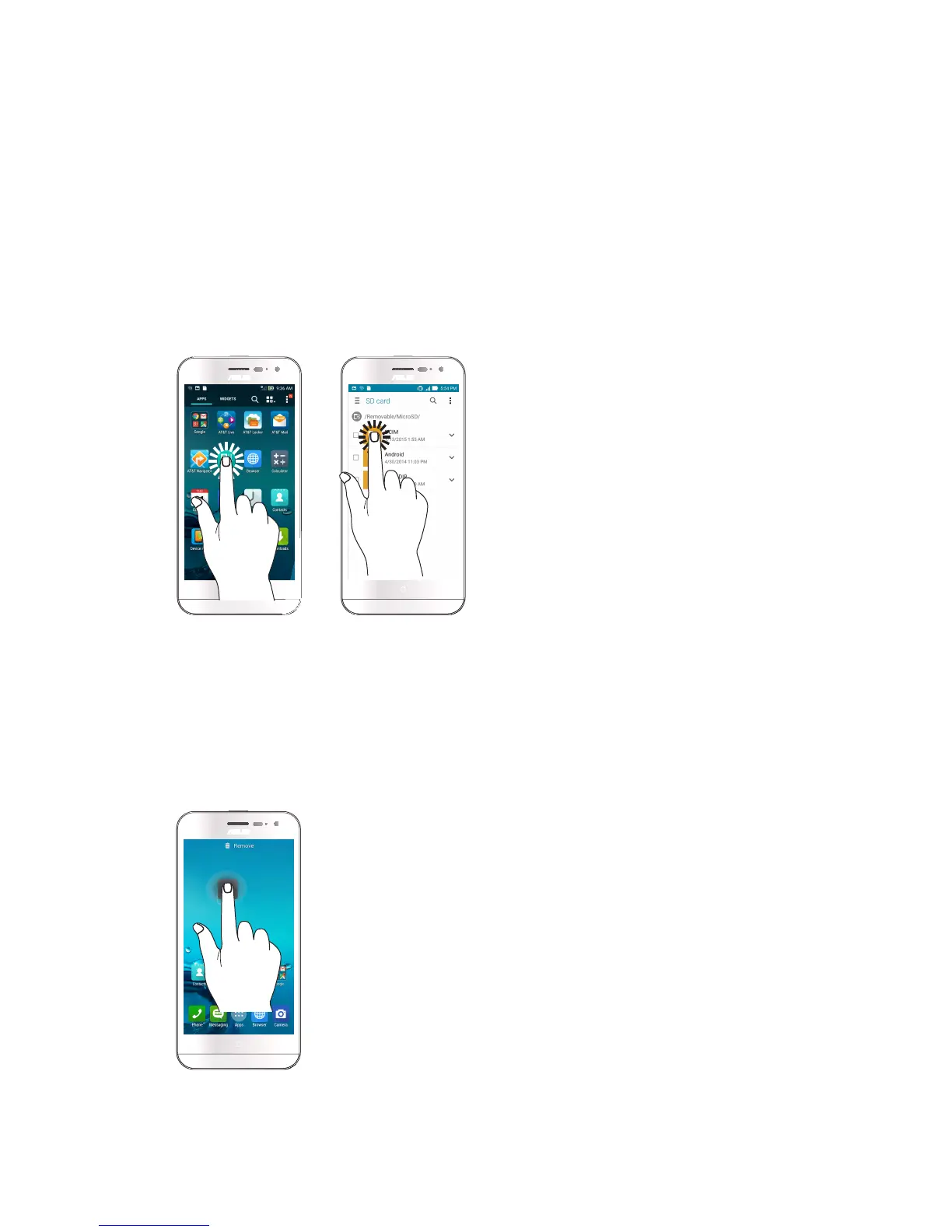
Using the touchscreen
Use these gestures on the touchscreen to launch apps, access some settings, and navigate your
ASUS Phone.
Launching apps or selecting items
Do any of the following:
• Tolaunchanapp,simplytaponit.
• ToselectanitemsuchasinFileManagerapp,simplytaponit.
Moving or deleting items
Do any of the following:
• Tomoveanapporwidget,tapandholdthendragittothelocationwhereyouwantittobe.
• TodeleteanapporwidgetfromtheHomescreen,tapandholdthendragituptoRemove.














 To Next Page