Adding shortcuts
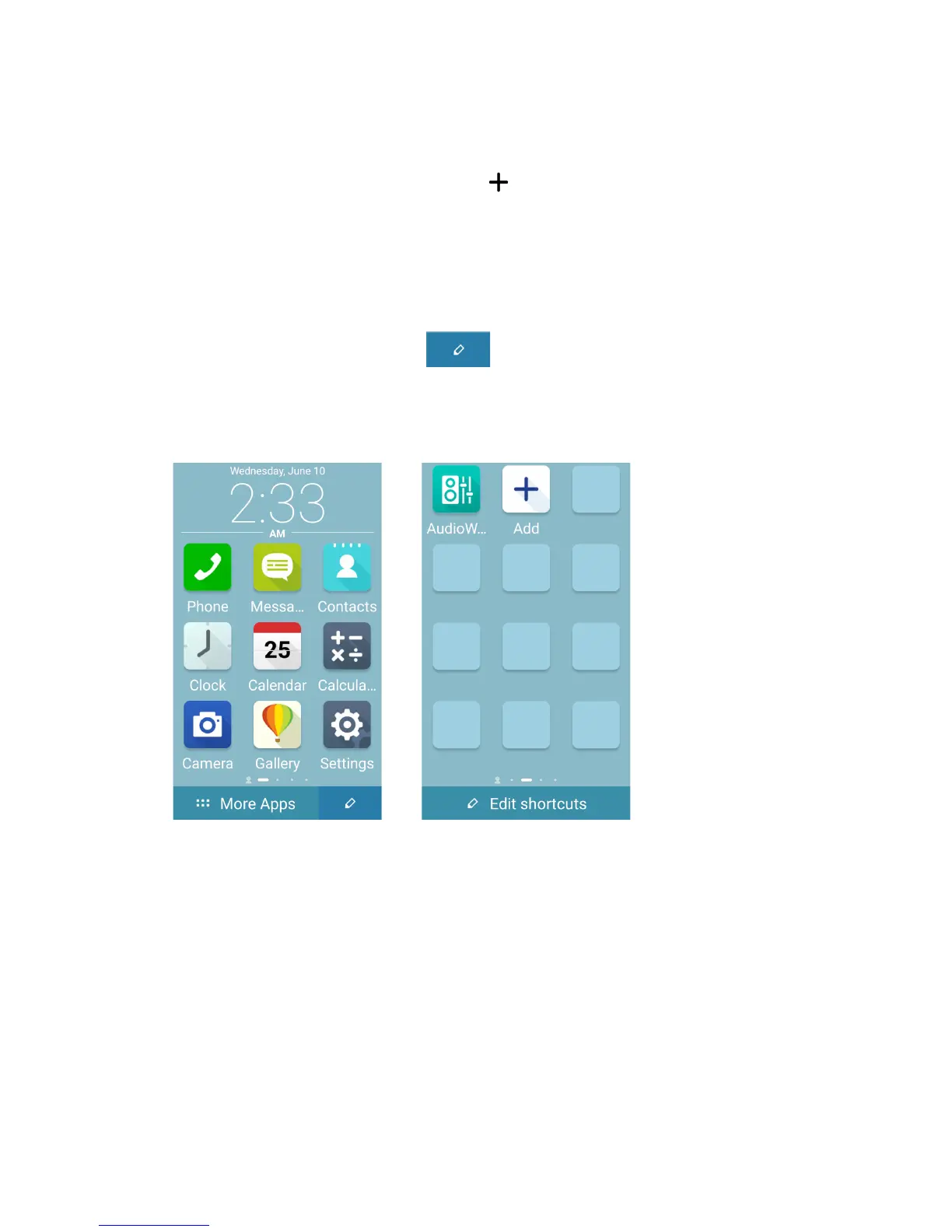
In Easy Mode, you can add multiple app shortcuts to quick launch your favorite apps.
1. Swipe to the right of the Home screen, then tap .
2. From the All apps screen, select the app that you want to add to the list.
Removing shortcuts
Do the following:
1. When you are on the Home screen, tap .
When you are on other screens, tap Edit shortcuts.
2. Select the app or apps that you want to remove from the list, then tap Delete.














 To Next Page