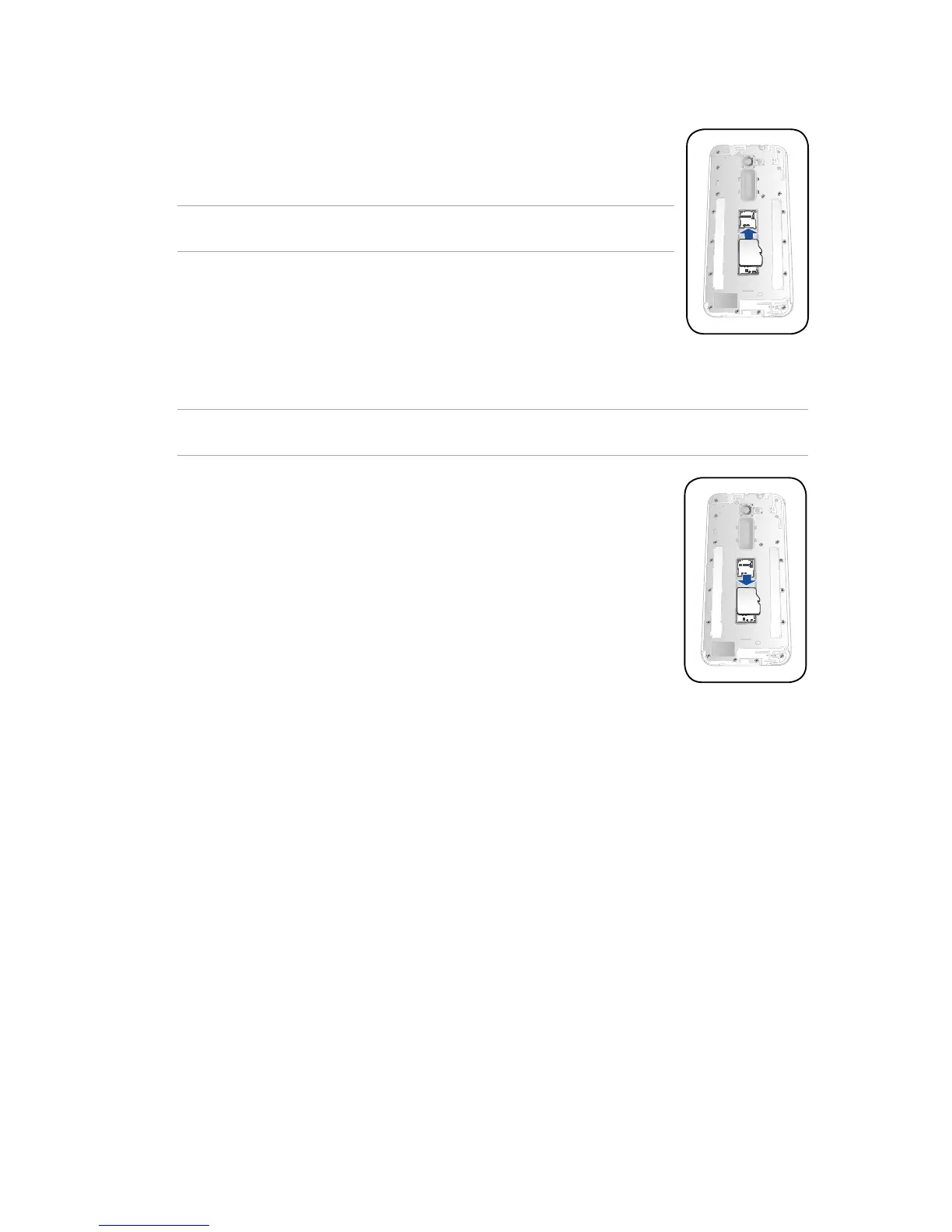
4. Insert the microSD card into microSD card slot.
5. Put the rear cover back in place.
CAUTION! Do not use sharp tools or solvent on your device to protect it from
scratches.
To remove a memory card:
CAUTION! Eject the memory card properly to safely remove it from device. To eject the memory card,
go to Home > All Apps > Settings > Storage > Unmount external storage.
Remove the microSD card from the microSD card slot, then put the rear cover
back in place.


 To Next Page
 Loading...