Set up your VIP from the VIP screen
To set up your VIP from the VIP screen:
1. Launch the Contacts app.
2. Tap > VIP.
3. In the VIP screen, tap .
4. Select the contact or contacts you want to group as VIPs, then tap Add. The contact or contacts
are added to your VIP list.
Adding an event to a VIP contact
You can add a birthday event to a VIP contact.
1. Launch the Contacts app, tap the contact you want to add a birthday event detail to, then tap
.
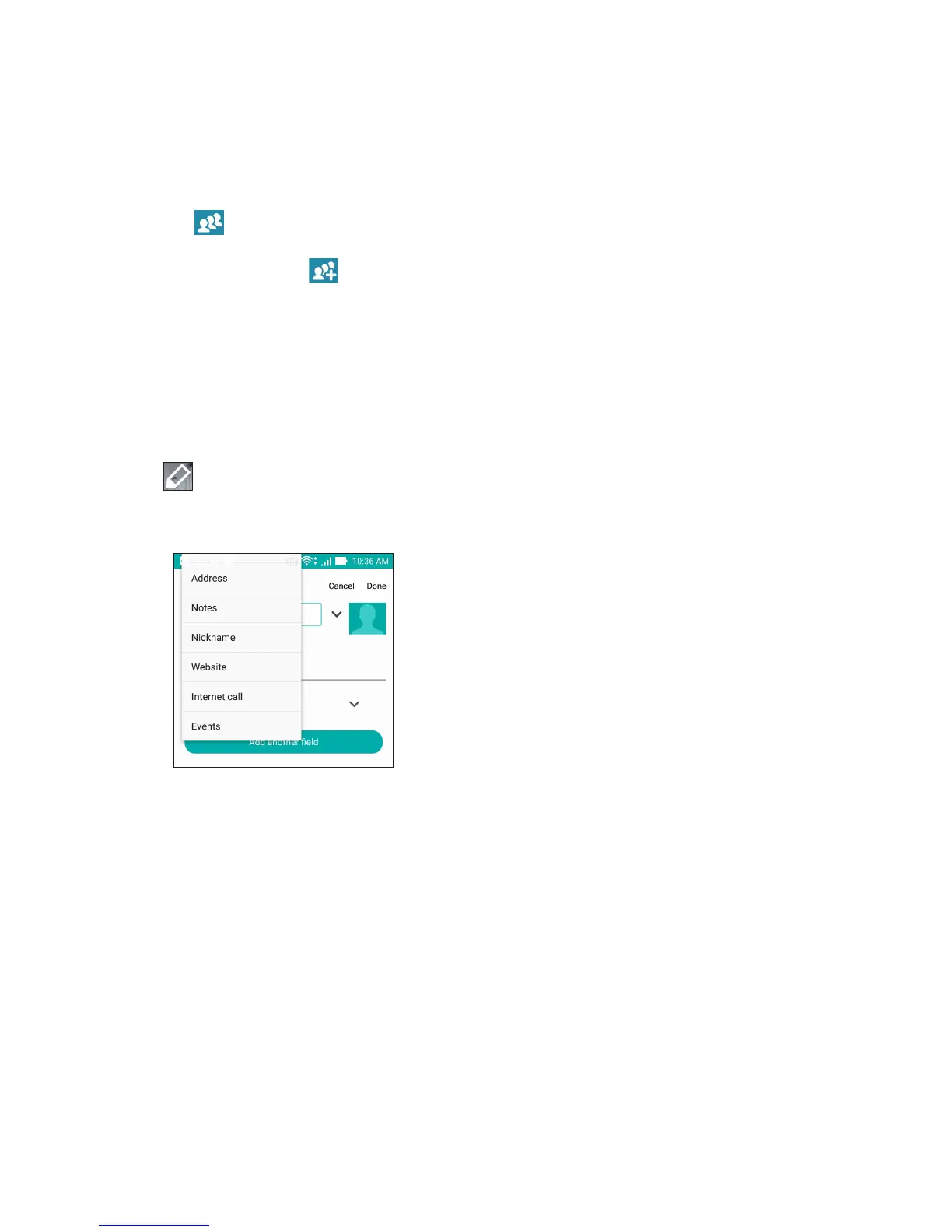
2. In the contact’s info screen, tap Add another field > Events.
3. Select the date for the event, then tap Set.
4. Ensure that you select VIP under the Group field. When finished, tap Done.
5. The contact’s special event will appear in your calendar of events. If you want to get an event
alert, set the reminder time in the Calendar app.














 To Next Page