12
Chapter 1: Basics
Removing a memory card
CAUTION!
• Beextracarefulwhenhandlingamemorycard.ASUSisnotresponsibleforanydatalossordamage
incurred to your memory card.
• Ejectthememorycardproperlytosafelyremoveitfromdevice.Toejectthememorycard,goto
Home > All Apps > Settings > Storage > Unmount external storage.
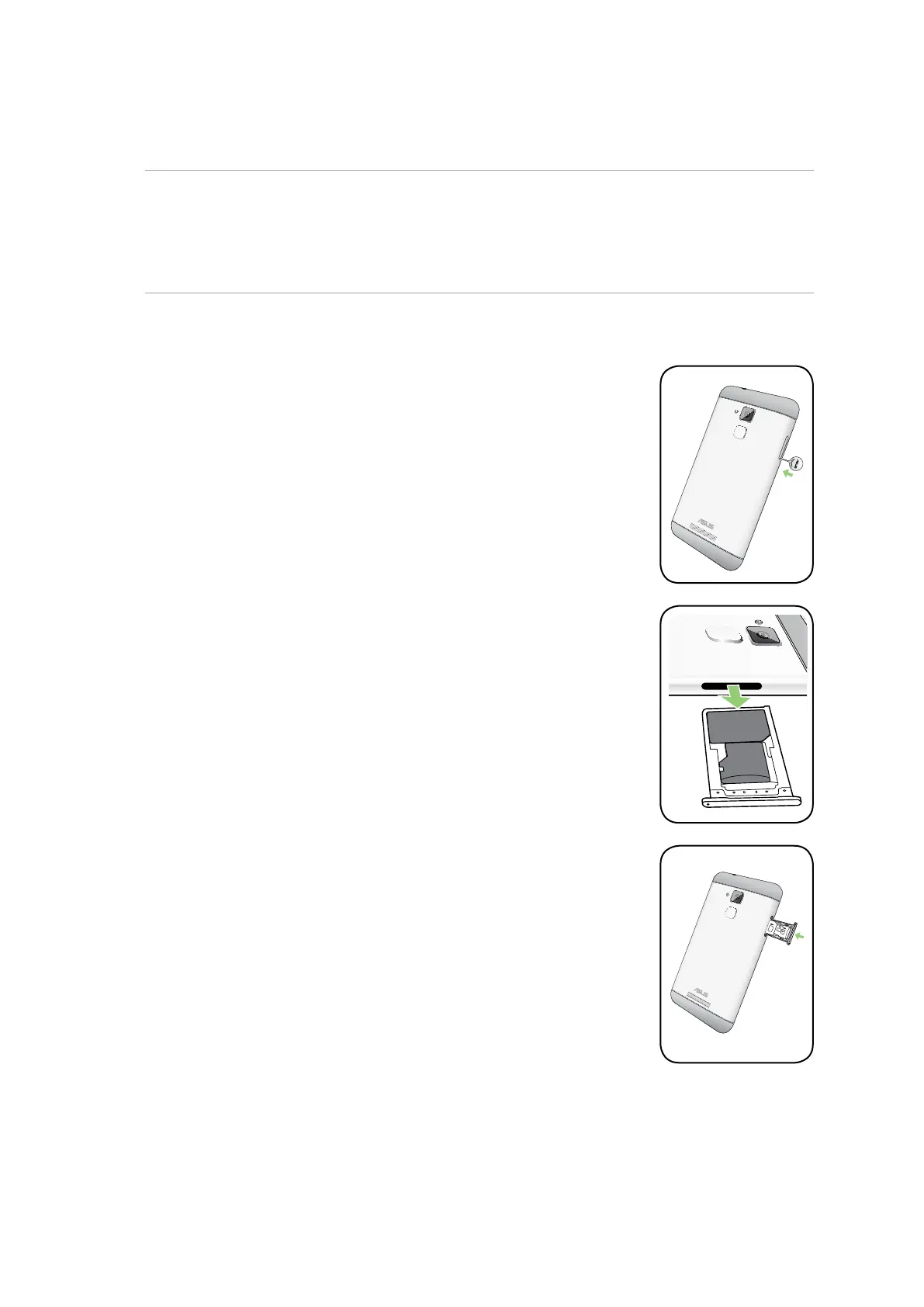
To remove a memory card:
1. Turn o your device.
2. Push the bundled eject pin into the hole on the card slot to eject the tray
out.
3. Remove the memory card from the slot.
4. Push the tray to close it.








 To Next Page