
 Need help?
Do you have a question about the ASUSTeK COMPUTER ROG STRIX X299-E GAMING and is the answer not in the manual?
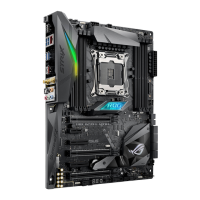
Diagram and labeling of motherboard connectors, jumpers, and slots.
Details on the LGA2066 socket and CPU installation precautions.
Information on DDR4 DIMM slots and memory module installation.
Step-by-step guide to assembling the PC components.
Detailed instructions for safely installing the CPU into the socket.
Procedure for mounting the CPU cooler and fan.
Steps for correctly installing RAM modules into the DIMM slots.
How to connect the main ATX power supply to the motherboard.
Connecting case front panel headers for power, reset, LEDs, and audio.
Guidance on installing PCIe add-in cards like GPUs.
Instructions for installing M.2 SSDs onto the motherboard.
Introduction to the ASUS UEFI BIOS interface and its functions.
How to enter and navigate the BIOS setup utility.
Explanation of different RAID levels (0, 1, 5, 10) and their benefits.
 General
| Socket | LGA 2066 |
|---|---|
| Chipset | Intel X299 |
| Form Factor | ATX |
| Memory Slots | 8 |
| Max Memory Support | 128GB |
| Memory Type | DDR4 |
| PCIe x1 Slots | 1 |
| SATA 6Gb/s Ports | 8 |
| M.2 Slots | 2 |
| USB 3.1 Gen 1 Ports | 6 |
| USB 2.0 Ports | 6 |
| RGB Header | Yes |
| RAID Support | 0, 1, 5, 10 |
| USB 3.1 Gen 2 Ports | 2 |
| LAN | Intel I219-V Gigabit LAN |
| Wi-Fi | 802.11ac |
| Bluetooth | Bluetooth V4.2 |
| Audio | SupremeFX S1220A 8-Channel High Definition Audio CODEC |

 To Next Page
