10
NT2508 / NT2504 / NT1308 / NT1304 / NT4004
English
Network Matrix
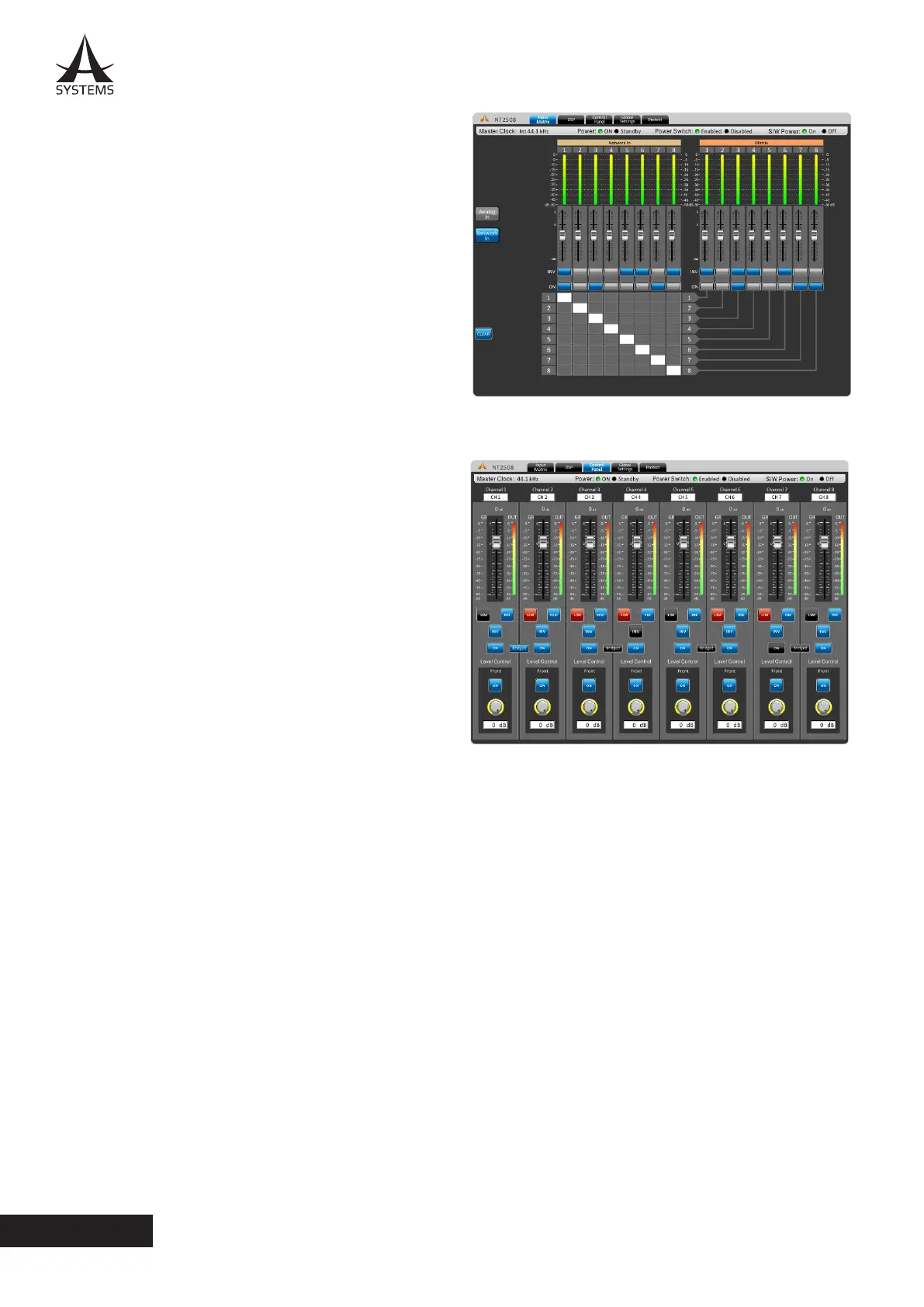
By pushing the Network In button you can access the
Network routing page� Here you can assign your Network
signals to the various output channels� All controls are as
same as controls under the Analog In Matrix page.
Control Panel
The control panel menu oers complete control of output
channels. This menu includes level controls, metering, and
a host of other parameters that can be edited.
Channel Name: A pre-selected channel name can be
viewed or edited in this screen�
Fader: The input level can be adjusted using this onscreen
fader�
OUT: The input and output signal level of the channel can
be viewed through these meters. They can be adjusted
between pre- and post-fader meters.
GR: The gain reduction meter will provide a real-time
indication of any reduction in gain applied by the internal
DSP processes (including compressors-limiters, equalizers,
etcetera).
Limiter: This button will activate the internal limiter function for the corresponding channel. The limiter can be adjusted
through the Global Settings > Lim page.
Pre/Post: This button allows you to adjust the output meter between a pre-fader and post-fader meter.
INV: This button will invert the phase of the corresponding signal.
ON/OFF: This button will turn the corresponding channel on and off.
Bridged: When the speaker outputs are wired for bridge mode, users must push this button to bridge the outputs of the
two channels�
Front Level Control: The Control Panel page also includes an on/off button for the front-panel level controls. These can
be used in addition to the rear panel DIP (pole 6) to deactivate individual front panel rotary controls. In addition to this
button, users can view the position of their front panel rotary controls through the virtual rotary controls featured at the
bottom of the page.



 To Next Page