12
NT2508 / NT2504 / NT1308 / NT1304 / NT4004
English
Network
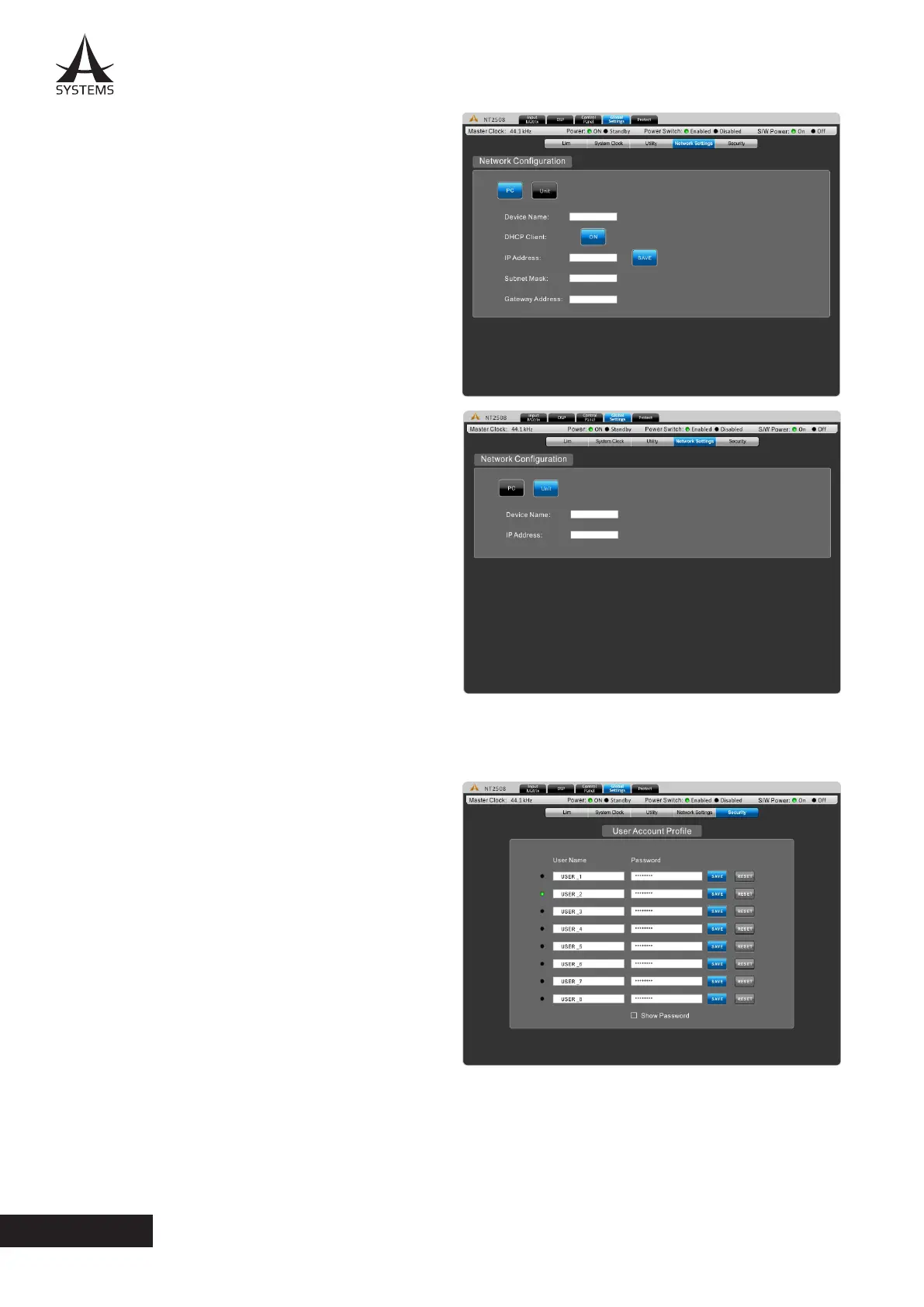
There are two pages under this tab.
PC
The PC menu offers a number of fields for network
configuration� The user can offer a device name in this
menu, while also including fields for the IP Address,
Subnet Mask and Gateway Address.
The DHCP button allows users to enable a Dynamic
Host Configuration Protocol on the unit. Enabling the
DHCP allows your network to automatically provides an
Internet Protocol (IP) host with its IP address and other
related configuration information such as the subnet
mask and default gateway�
Unit
The Unit menu allows users to view the device name
and IP address assigned to the NT series network
amplifier�
Security
Users can adjust their User Account Profiles through this
menu. Up to 8 user-specific accounts can be created, with
the default names all being USER_x (where x is a number,
1 through 8). The default password is ASYSTEMS. Simply
select the user name and password fields on screen to
change them for each account� Once a user name and
password are defined, click “SAVE” to store.
User names and passwords are all restored to defaults
when the system is restored to factory default settings�
Remote Control From PC
Enter necessary information to log in�
Default values are:
IP Address: 192.168.0.xx
User Name: USER_1
Password: ASYSTEMS



 To Next Page