Model S High Speed Sublimation printer
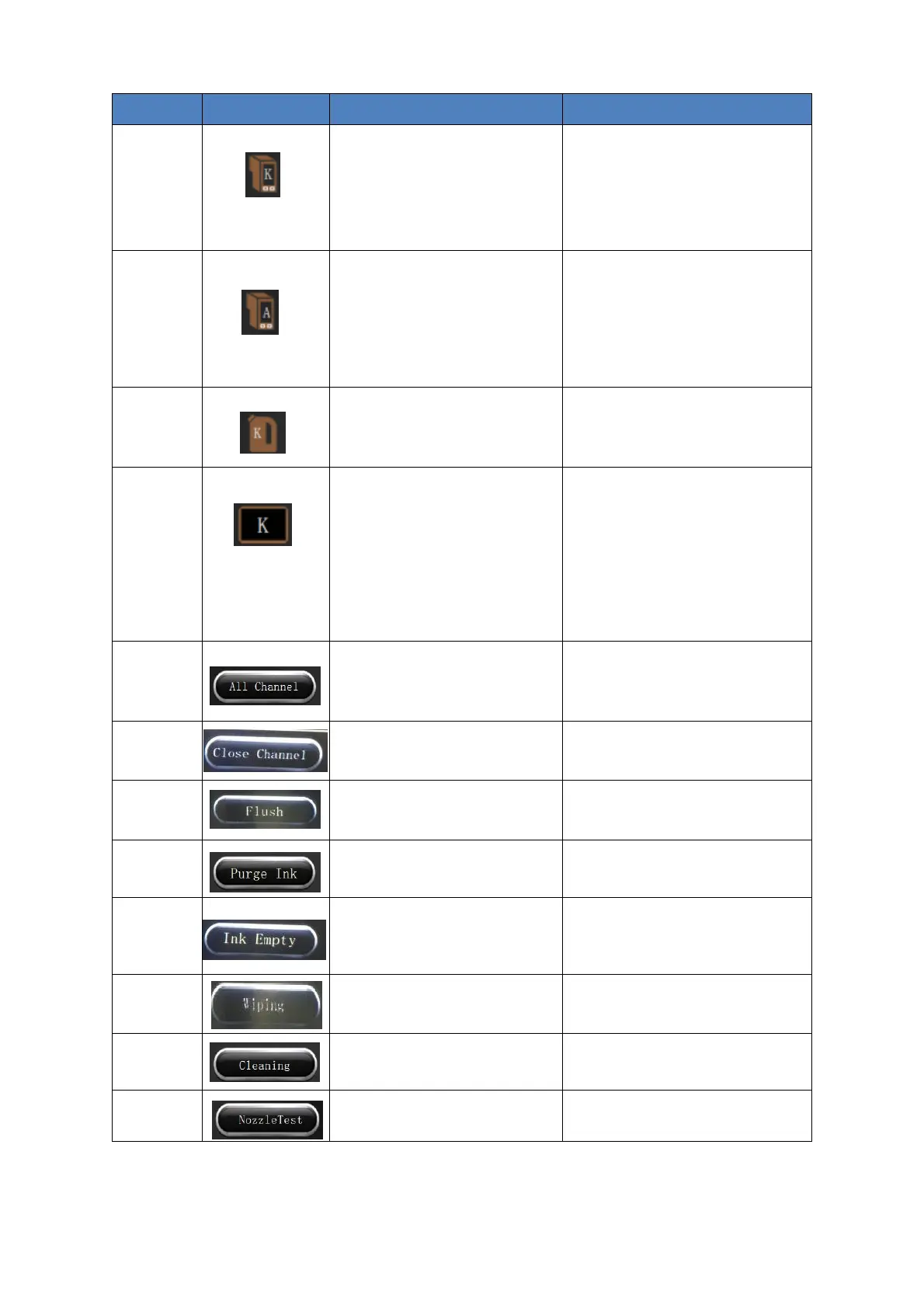
Display sub ink tank status
The background color is the
corresponding ink color: the
auxiliary ink cartridge is full.
The background color is the
corresponding ink color: the
auxiliary ink cartridge is out of ink.
The background color is the ink
color: the air bottle enters the ink,
and the machine alarms.
The background color is the
background color: the air bottle is
empty and in a normal state.
Main ink tank status: display the
ink inside
Timely to add ink and clean the
cartridges, recommended to clean
the cartridges once every 3
months.
Channel selection: display to
open or close the channel
The background color is the
corresponding ink color: the
channel is open.
The background color is the
background color: the channel is
closed. Manually click it and
select channel.
Click this option to let all ink
channels open
Click this option to have all ink
channels closed
Click this option to open the
channel of the spray head to
flash
Press and hold this button, the
flashing action continues until the
button is released.
Click it to do continuous ink
purge.
The purge action continues until
the button is released.
Click it to press and empty inks in
sub-tank
Click it to cancel the actions, anyway
it has no necessary to do it in
general. Use with caution.
Click it to do ink wipe of the head
surface.
Click it to do ink purge, wipe,
flush and complete ink cleaning
Click it to print test bar
To do automatic test bar printing
overlay at X direction.



 To Next Page