Manual, Control Module, PROFINET, DL10
Document #9620-20-C-DL10-04
Pinnacle Park • 1031 Goodworth Drive • Apex, NC 27539 • Tel: 919.772.0115 • Fax: 919.772.8259 • www.ati-ia.com
C-38
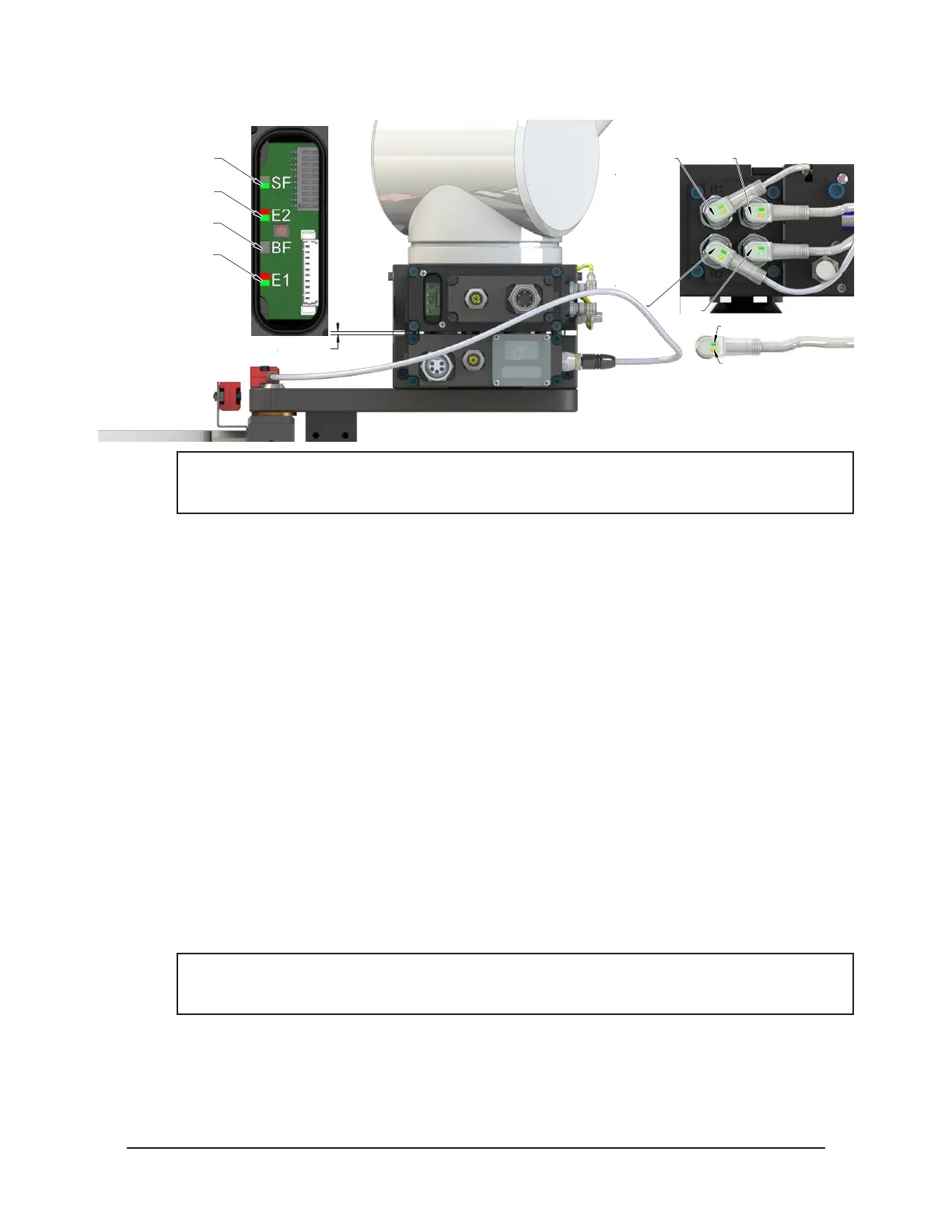
Figure 4.8—Master Uncoupled, Moves away from Tool and is parallel within 0.06” to 0.15”
RTL (R1)
Unlock (U)
RTL (R2)
Lock (L)
Green LED (Power)
Yellow LED
(Switch Made)
0.06” to 0.15" Away
SF LED is Green
E2 LED is Red/Green
Then Off
BF LED is Off
E1 LED is Red/Green
NOTICE: If the LEDs don’t match what is shown, refer to Section 2.1.2—System Failure (SF)
and Bus Failure (BF) LEDs or Section 2.1.3—Ethernet 1 and Ethernet 2 LEDs for possible
issues.
10. The robot and Master move away from the tool, are parallel and between 0.06” to 0.15” of the
Tool.
a. The Tool Present and TSIV and TSRV inputs turn OFF.
b. The Tool-ID is unavailable (all 1>0xFFFF).
11. The Robot and Master are in free space.
a. The following inputs are ON:
i. Unlocked
ii. Unlatch Enabled
iii. Input/Logic Power Good
iv. Output Power Available
b. The following inputs are OFF:
i. Locked
ii. RTLV1 and RTLV2
iii. Tool Present
iv. RTL1 and RTL2
v. TSRV
vi. TSIV
vii. Tool-ID invalid (all 1>0xFFFF)
c. The following output is ON:
i. Unlatch
NOTICE: For units with a single solenoid valve, the Unlatch output must remain ON. For units
with a double solenoid valve, the Unlatch output can be turned OFF, after the Unlocked input
indicates the Tool Changer is in an unlocked state.
d. The following output is OFF:
i. Latch



 To Next Page