15
5.4.8. Choosing the absence management mode
The Duolix MAX enables you to reduce the flows when the occupant is not at home.
There are two management modes:
• Default, with no additional options, the occupant may, before his departure, activate absence mode
and program the time he will be absent. The unit then reduces its flowrate in accordance with the
programmed value during the time set by the occupant, but if the occupant returns before the set
period of time, he can cancel the absence mode.
• If the presence sensor option (part no.: DIP code 323 020 exposed or 323 021 enclosed) was chosen
and installed, the occupant may choose to activate the «auto» absence mode before he leaves. The
unit then reduces its flowrate in accordance with the programmed value until it detects the return of
the occupant. (see wiring details in the appendix).
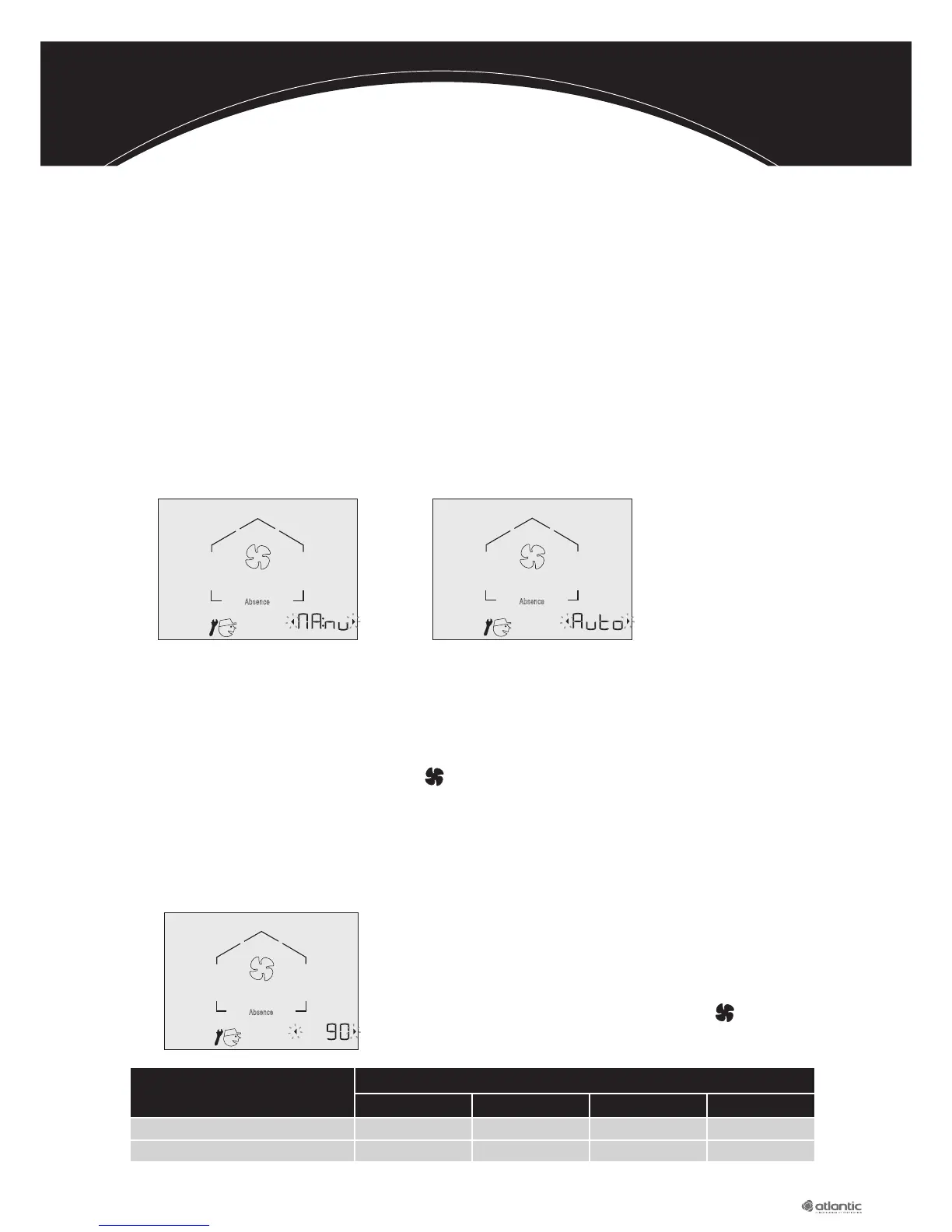
Use the navigation keysandto switch from «Man» to «Auto» and vice-versa.
If the sensor option has been chosen and installed: select «Auto»
If the option has not been chosen: choose «Man».
Then confirm the desired value by pressing
When the OK symbol appears, the choice is confirmed.
5.4.9. Adjusting the absence flow
The flowrate needs to be adjusted when the absence
function is activated.
Use the navigation arrowsandto increase or reduce
the desired flowrate when activating absence mode.
Then confirm the desired value by pressing
When the Ok symbol appears, the choice is confirmed.
Number of main parts
2 / 3 / 4 5 6 7
Maximum total flowrate (m
3
/h) 90 105 120 135
Minimum flowrate in kitchen (m
3
/h)
45 45 45 45
Absence
Absence
Absence
m
3
/h



 To Next Page