35
It is possible de return to the standard settings for your device.
This device is filled with a precise amount of coolant. This fluid does not deteriorate and requires no particular maintenance. Any re-
pairs requiring the coolant reservoir to be opened, must only be performed by a professional, the manufacturer or its After-Sales ser-
vice. The latter must be contacted in the event of a leak.
When the device is scrapped, the coolant must be disposed of only at an authorised waste coolant collection depot.
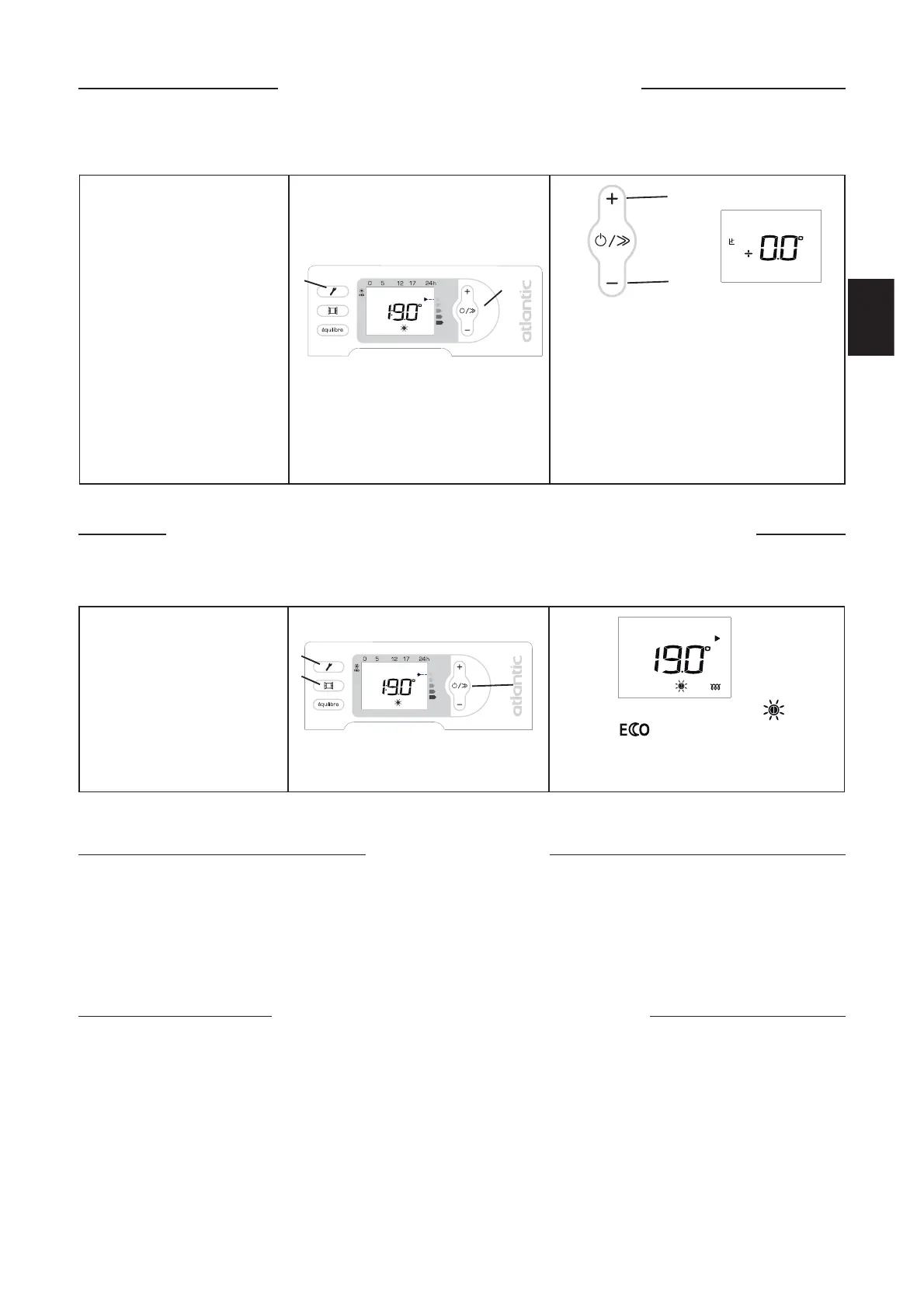
Hold the following keys down si-
multaneously
- Aeration (B),
- Settings (C),
- Scroll (E),
until everything is displayed on
the screen (see page 25 for the
different displays).
The device switches to Comfort mode at
19°C. The mode is at 15.5°C. The energy
saving and programmed functions are deacti-
vated.
E
B
C
Calibrate the temperature
Returning to the standard factory settings
Specific gravity of the coolant
contained in the device
Maintenance
To maintain your device’s performance, you must dust it approximately twice a year.
Never use abrasive products or solvents.
Hold the following keys down si-
multaneously:
- Programming (C),
- Power on (E).
With the + (D)or-(F) keys, choose your
calibration value (between -2°C and 2°C).
E.g.The temperature displayed on your device is
20°C.
The temperature displayed on your thermome-
ter is 19°C -> Choose a calibration value of -1°C.
Confirm your choice by pressing the Programming
key (C). Your device will heat until the room tem-
perature reaches 20°C.
E
C
D
F
Depending on your installation, the temperature you read may be different to the one displayed on your device. In that
case, you can calibrate the temperature displayed.
GB



 To Next Page