32
ABSENCE OF MORE THAN 48 HOURS
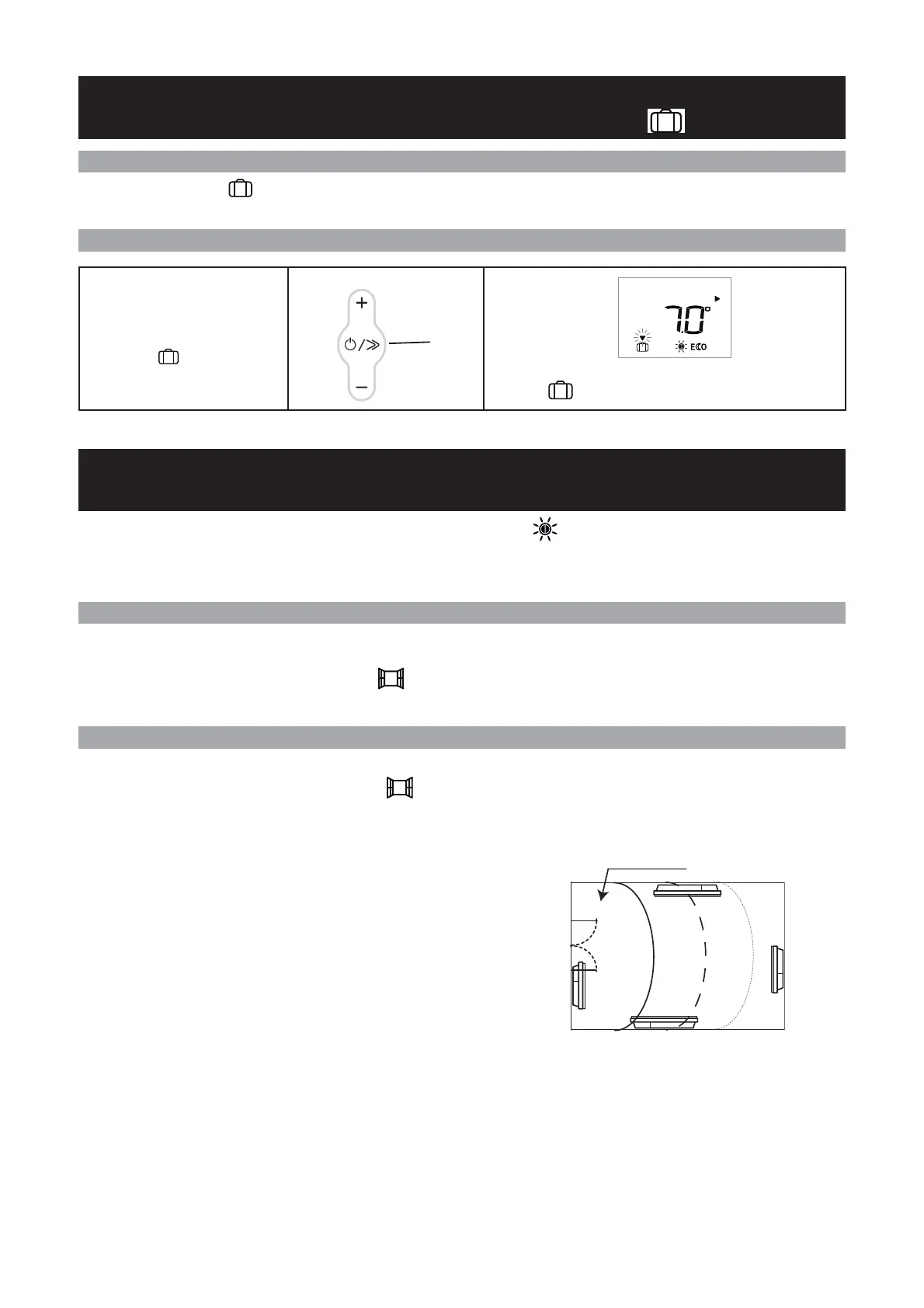
USING THE FROST PROTECTION MODE
HOW TO USE THE ENERGY-SAVING FUNCTIONS :
A
IRING FUNCTION
The Frost Protection temperature is preset to 7°C (±3° C) and cannot be changed.
DESCRIPTION
HOW TO ACTIVATE THIS MODE ?
DESCRIPTION
HOW TO ACTIVATE THIS MODE ?
Press the scroll key (E) until the
selection arrow is on the Frost
Protection mode.
The mode selection arrow flashes for several seconds
then the icon remains on the display.
PROG
E
To use these function, we recommend that you set the Comfort mode or Programming mode .
These function are in addition to the programming functions.
The function enables you to stop the device from heating and to start heating again automatically when you are airing your
room, thereby saving you energy.
We do not recommend the use of the Airing functions in corridors and rooms located close to an entrance door
from outside your home or from the garage.
Do not heats the room while it is being ventilated allow you to save energy. If you do not turn off your device when a win-
dow is open for a long time, the airing function stops your device from heating when it is not necessary: your de-
vice automatically detects when the window is opened or closed and therefore saves energy.
Your device reacts to an open or close window according to several variables, especially :
- the temperature settings programmed for the room,
- the outside temperature,
- the location of your device, etc.
By detecting whether the window is open or closed, the airing function helps you to be environmentally friendly : you save
energy by not heating your house when you ventilated it.
Optimum zone
PROG



 To Next Page