27
INSTALLING THE DEVICE ON ITS WALL BRACKET
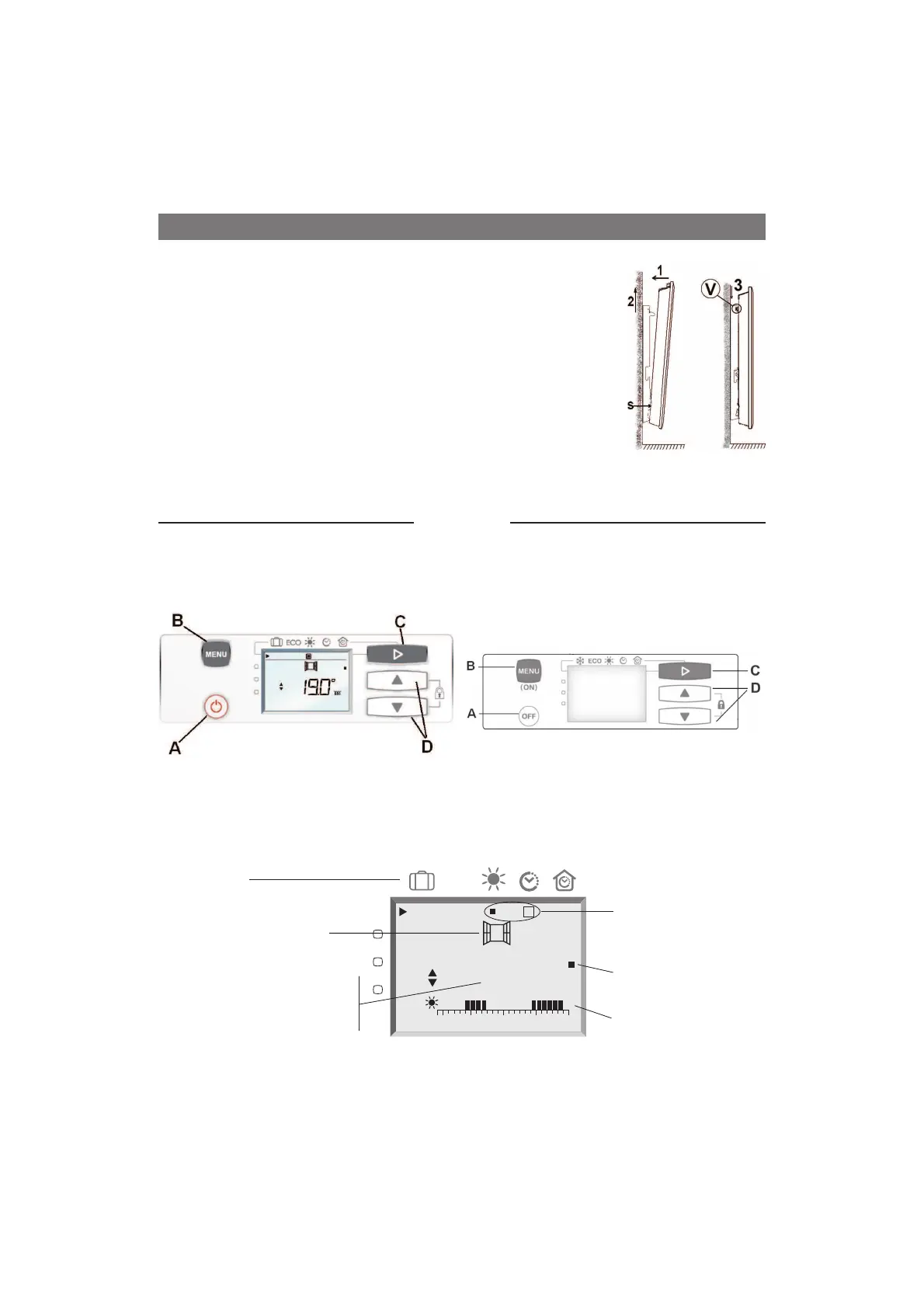
- Install the device on the bracket S in accordance
with the drawing
- Move the device towards the bracket and then lift
it (arrow 1 and 2)
- Introduce the bracket lugs into the holes in the
device, move it down (arrow 3).
- Lock it by turning the 2 V locks a half turn, your
device is now fixed
Operation
Control box
For more comfort and economy, your device is equipped with a digital display control box. It enables you to
set all the functions of the radiator.
A Switching on /putting on stand-by
B Programming / Settings
C Selection of heating modes
D Setting buttons
A Switch off heating
B Switch on/ Internal programming settings
C Mode selection
D Adjustment
7KHYDULRXVGLVSOD\V
ECO
19.0
°
0 6 12 18 24



 To Next Page