36
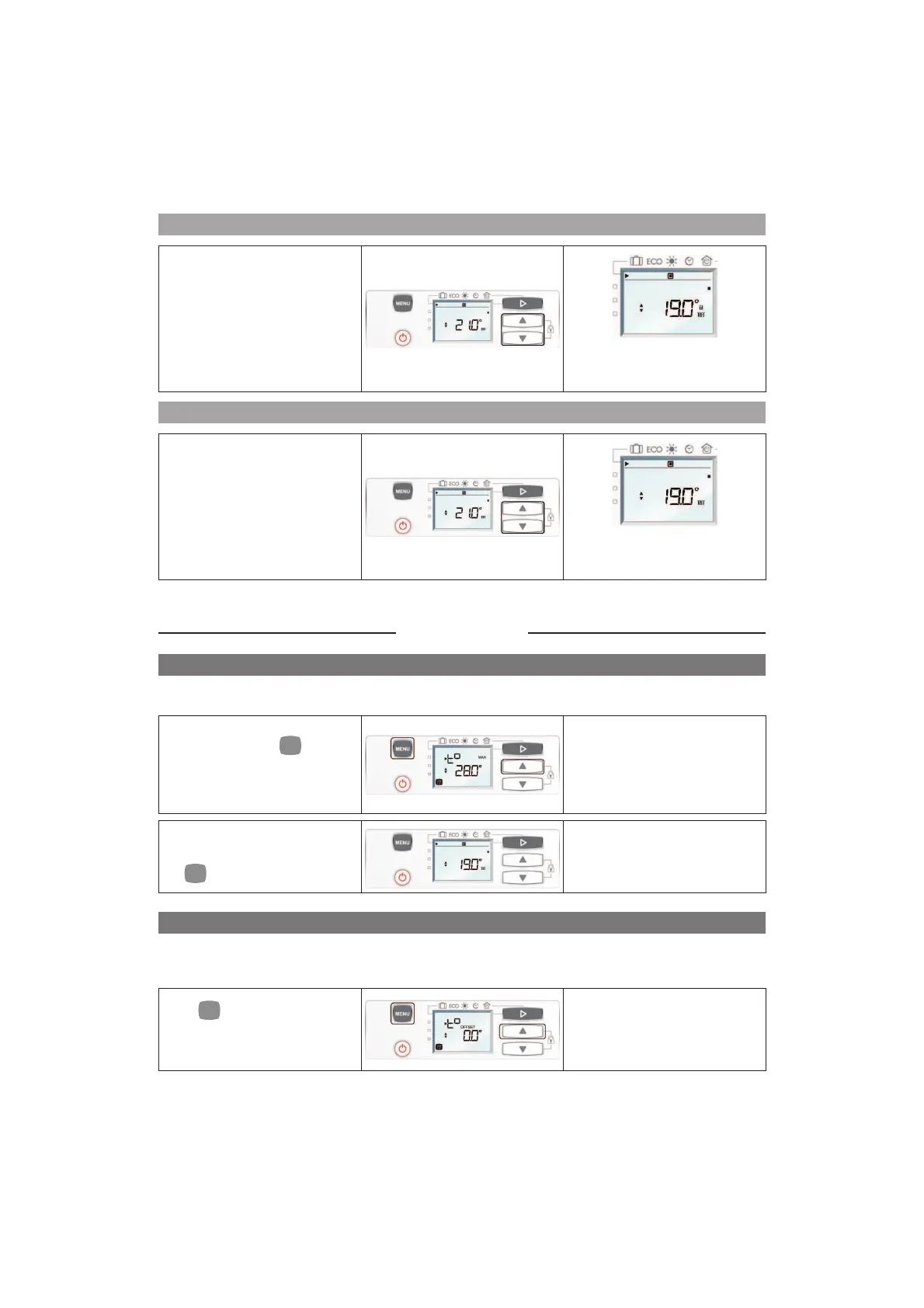
How to lock the controls?
To lock the controls, hold the G
and H (D) pressed simultaneously
for a few seconds.
A padlock is displayed on the
screen: it is not possible to modify
the settings
How to unlock the controls?
To unlock the controls, hold G or
H (D) pressed simultaneously for
a few seconds.
The padlock disappears from
the screen: the settings can be
modified.
Installer Mode
MAXIMUM TEMPERATURE: T°MAX
Your device gives you the possibility of setting a maximum temperature that you cannot exceed when you are
in Comfort mode. The range is between 19°C and 28°C.
Hold the buttons
and G
pressed simultaneously for a
few seconds, t° MAX 28°C is
displayed.
Set the maximum temperature of
your choice by pressing on G or
H.
After 5 seconds on one activity,
the temperature is automatically
validated.
To de-activate this function, press
simultaneously for a few seconds
on
and G.
The display returns to the current
mode.
CALIBRATE THE TEMPERATURE
After a few hours of heating, it is possible, depending on your installation, that you will find a different temperature
from that displayed on your radiator. In this case, you can calibrate the radiator to adjust the temperature.
The calibration value is between -2°C and +2°C.
Hold
and G simultaneously
pressed for a few seconds then
press 1 time on E (C), t° OFFSET
is displayed.
Set the temperature difference by
pressing
G or H.
After 5 seconds of non-activity
the temperature is automatically
validated.



 To Next Page