- 52 -
1
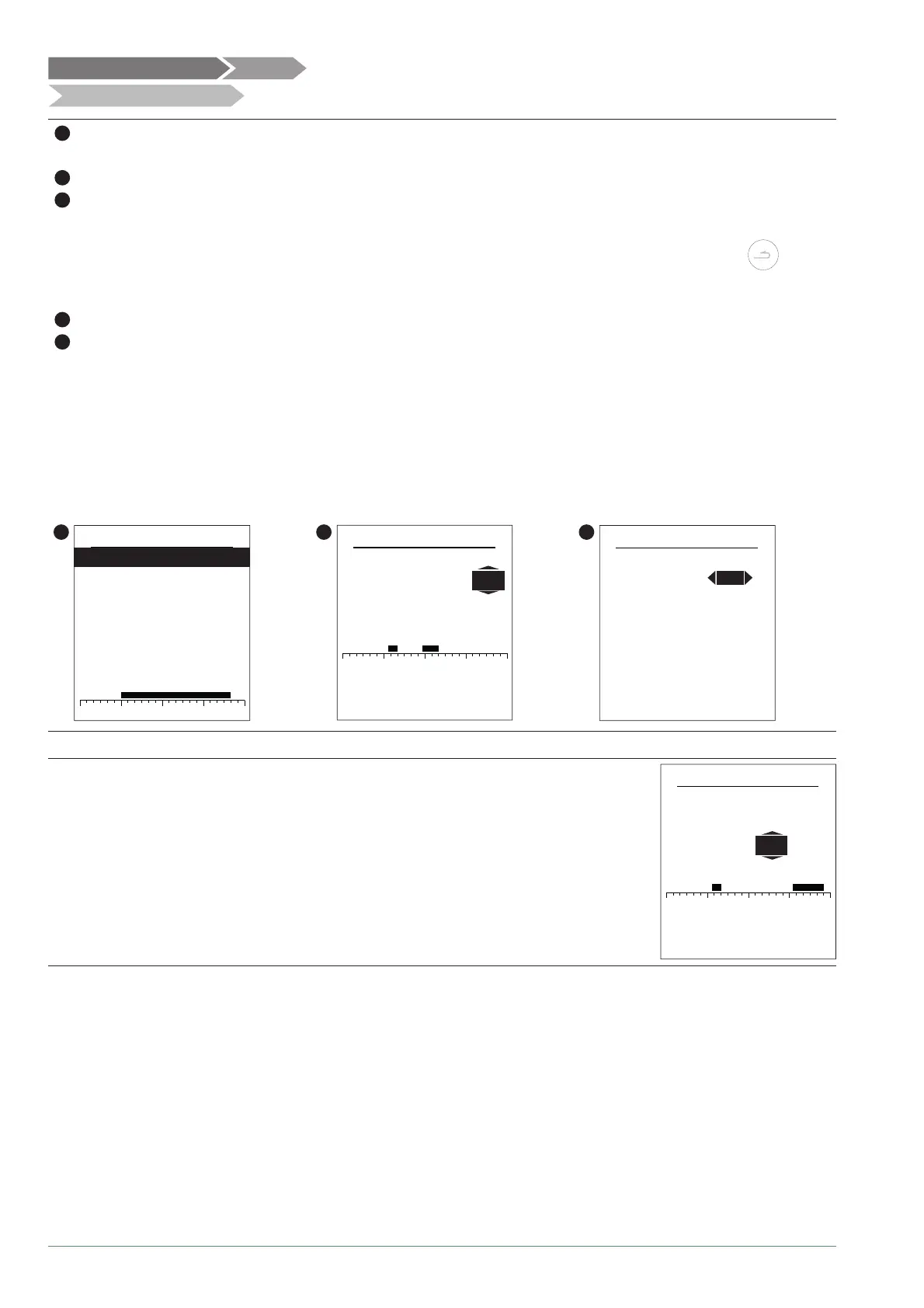
- Choose "Heating" or "Cooling" as well as the appropriate zone by accessing the menu:
"Programming" > "Heating" / "Cooling" > "Area 1" / "Area 2".
2
- Select the day.
3
- Adjust the Comfort period start and end times.
If 2 or 3 Comfort periods are not required, click on "--:--".
- To return to the previous setting (e.g. end 1st heating period to start of 1st heating period), press the button.
• To copy the program to other days:
4
- Select "Validate and copy".
5
- Set the required days to "Yes" and then select "Complete".
• Else "Validate".
Heating / cooling period factory setting: 06:00 - 22:00.
2
0 6 12 18 24
Heating prog.
Tuesday
Monday
Wednesday
Thursday
Friday
Saturday
Sunday
3
0 6 12 18 24
Monday
Comfort ranges
Validate
Validate and copy
Program 2: 11:45 14:00-
Program 3: --:-- --:---
Program 1: 06:50
07:50-
5
Copying programs
Copy the Mon. program to
Complete
NoWednesday
NoThursday
NoFriday
NoSaturday
NoSunday
Tuesday
Yes
To delete a Comfort period, set its start and end times to the same value.
When accepting a setting, the screen displays:
Program X: --:-- --:---
0 6 12 18 24
Monday
Comfort ranges
Validate and copy
Validate
Program 3: 18:30 23:00-
Program 1: 06:50 07:50-
Program 2:
--:-- --:---
Time programming
Hydraulic confi guration Area 1
Alfea Extensa A.I. R32 / INSTALLATION / 2114 - EN



 To Next Page