8
Control Panel
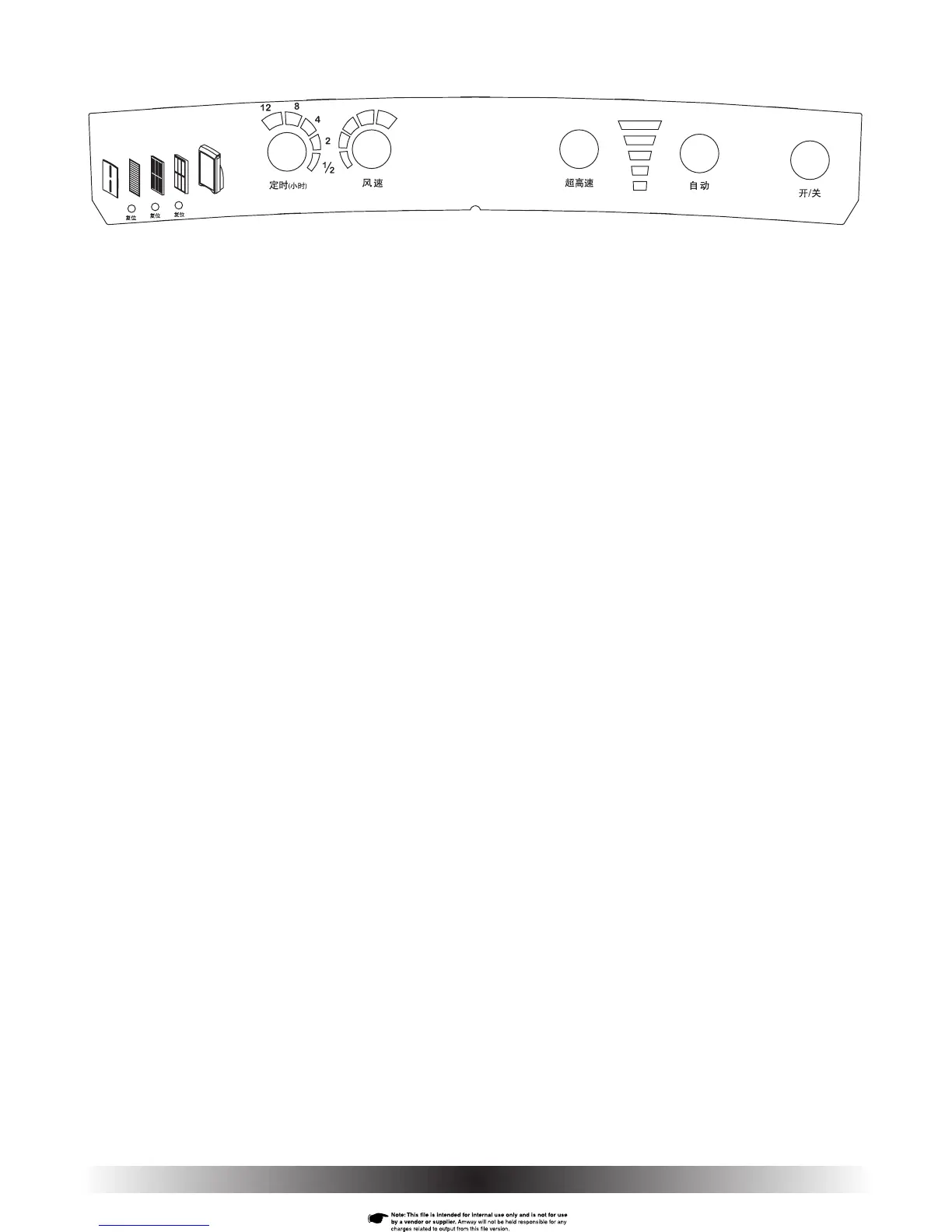
The fi ve control buttons on your air purifi er control panel (Fig. 13) enable
you to select the desired mode of operation and to manually change fan
speed and timer setting. The result of a button-press depends in part on
whether the air purifi er is already operating and as well as the mode it
is currently in. A complete summary of functions and responses as each
button is pressed are listed in Control Panel Functions table.
Control Panel Button Functions
Button Functions: When you press any of the control panel buttons, the air
purifi er will beep to let you know that an action was taken. When the POWER,
AUTO, or TURBO buttons are activated, they also light up; for the SPEED
and TIMER functions, their setting-level displays light up instead.
1. Timer: Programs the air purifi er to operate for a pre-determined time
ranging from ½ hour to 12 hours. Repeated pressing of the TIMER
button while the air purifi er is operating changes the timer setting, one
step at a time, to the next setting in the sequence: ½ hr., 2 hrs., 4 hrs.,
8 hrs., 12 hrs., OFF, ½ hr…. The timer setting you select is shown by
the number of lighted indicators in the timer display. While the timer is
operating, the number of lighted indicators decreases to refl ect the time
remaining before the air purifi er shuts off.
2. Speed: Selects one of the fi ve operating speeds of the air purifi er.
Repeated pressing of the SPEED button while air purifi er is operating
changes the fan speed, one step at a time, to the next speed in sequence
(1, 2, 3, 4, 5, 1…). The fan speed at which the air purifi er is operating
is shown by the number of lighted indicators in the speed display.
3. Turbo: Provides a burst of cleaning power. Air purifi er operates at highest
speed (setting 5) for 30 minutes, then turns off or returns to the previous
mode and speed.
4. Auto: Provides continuous operation until you turn the air purifi er off or
change to another mode. Fan speed automatically changes in response to
input from the particle sensor: the dirtier the air, the faster the fan runs.
5. Power: Turns the air purifi er on and off.
Fig. 13


 To Next Page