13
4. Remove accumulated dust from the pre-fi lter with a vacuum cleaner. If
the fi lter is very dirty, rinse with warm tap water. Dry thoroughly before
returning to air purifi er.
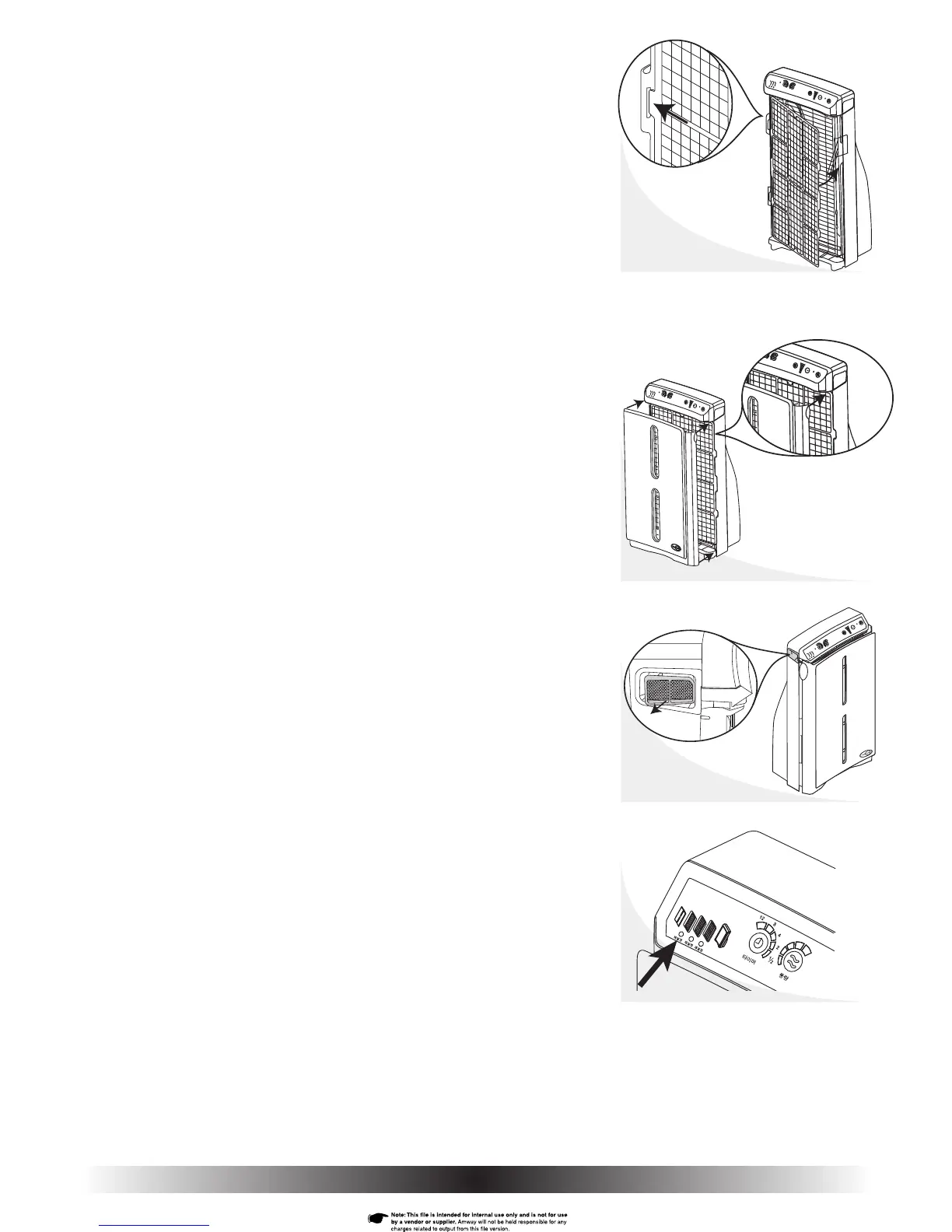
5. Reattach the pre-fi lter by sliding the left two tabs into the slots in the
frame of the HEPA fi lter (Fig. 20).
6. Slide the right two tabs into the slots in the frame of the HEPA fi lter
(Fig. 20a).
7. Reattach the front cover by aligning the four black pegs on the back of
the cover with the four corresponding holes on the housing. Starting
with the top two, push the four black pegs into the holes (Fig. 21).
8. To keep the particle sensor functioning properly, clean the particle
sensor fi lter each time you clean the pre-fi lter.
9. Remove the fi lter by pulling straight out on the tab (Fig. 22).
10. Remove any accumulated dust with a vacuum cleaner.
11. If the fi lter is very dirty, rinse with warm tap water. Dry thoroughly before
returning to air purifi er.
12 Reinsert the particle sensor fi lter into the left handle making sure the
fi lter is positioned properly (seated against the stops).
13. Plug-in air purifi er and turn-on power.
14. Reset the pre-fi lter monitor using the tip of a ballpoint pen or the end of
a paper clip (Fig. 23). Press and hold the pre-fi lter reset button until it
beeps. The pre-fi lter monitor light colour will change from red to green.
Fig. 20
Fig. 20a
Fig. 21
Fig. 22
Fig. 22a
Fig. 23


 To Next Page