SETUP
07
22
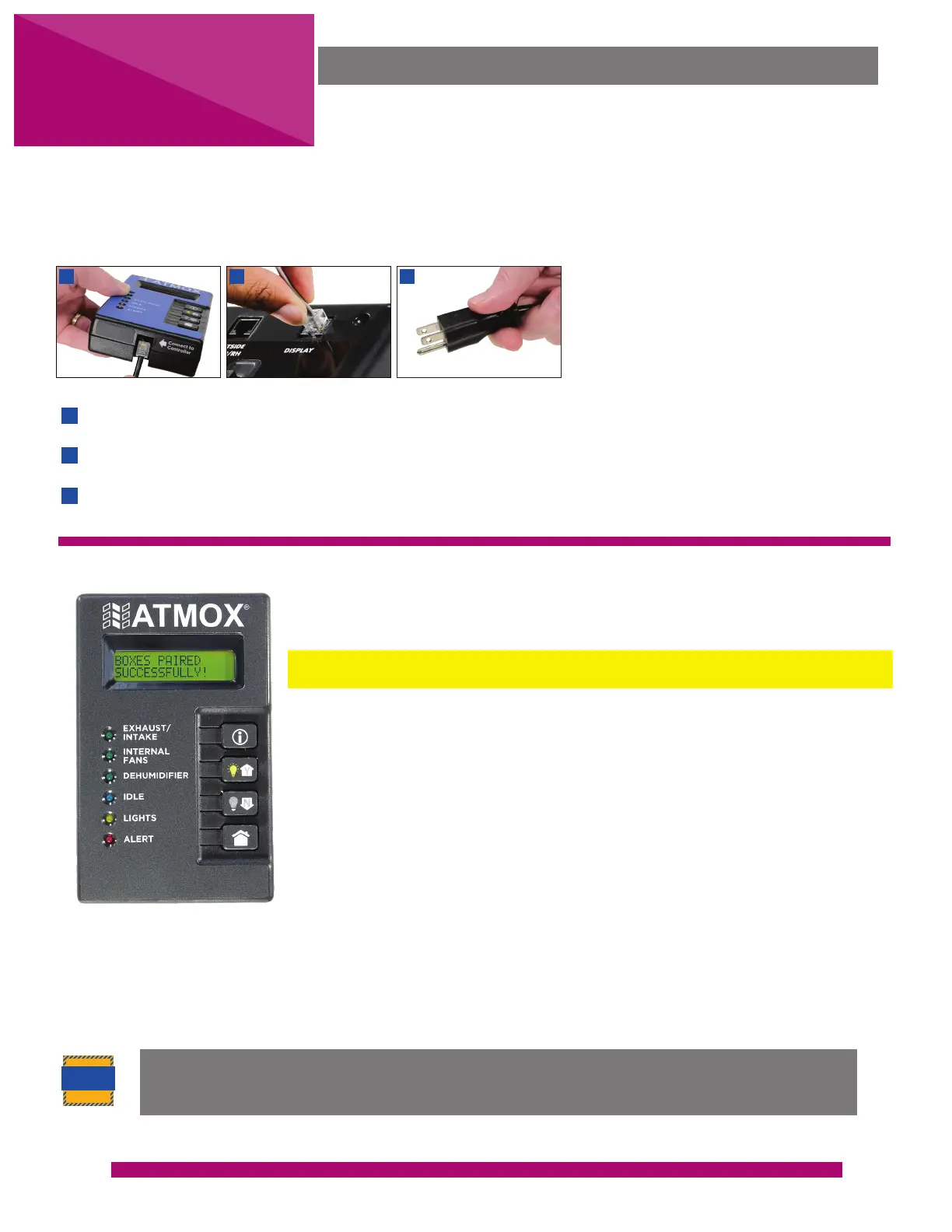
When the display is plugged in for the first time, all lights will be flashing, and a
setup menu will begin.
Do not press (i) to begin the setup menu until all installed components are
in place.
Answer the question on each screen to set up the system with a (Y) for Yes
or (N) for No. Press the information button (i) to save and scroll forward.
The menu will then proceed to testing screens which will begin
automatically. When finished with each test, press (N) to stop testing and
then press (i).
Information on the screens on the next page and how to conduct testing of
components are detailed in the SETTINGS section.
Note: If you are installing a Power Booster, answer the setup questions on components being used on both
the controller and the booster. When you complete the setup process, you may have alert messages. Proceed
to syncing booster and these alerts will clear when everything is properly installed.
CAUTION
Plug jack from extension cable into the bottom of the display.
Plug jack from other end of extension cable into DISPLAY port.
Plug the controller into the electrical outlet.
1
2
3
1
2
3
To setup the controller, you will use the display. It is easiest to make a temporary connection near the
controller and then move to permanent viewable location within the house once setup is complete. (See page
25.)
DISPLAY SETUP
Once the setup begins, if power is disconnected the setup will stop and you will receive
an error. After 30 minutes of inactivity during setup questions or testing, the setup will
also time out and you will need to start over.
DISPLAY CONNECTION


 To Next Page