TROUBLESHOOTING
10
40
For all errors listed below, first determine the cause and follow steps for solution in the table. Then to
clear error and return to operation you must:
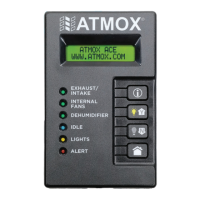
1. Once components corrected, reset the output line. This is done in the settings menu on screen
OUTPUT ERROR – RESET N. Select (Y) and press (i) to confirm.
2. Once reset, go back to beginning of settings menu and test the output that had the error to make
sure that the error has been fixed and does not occur again.
ALERT/ISSUE
POSSIBLE CAUSE SOLUTION
OVERLOAD ERROR
SYSTEM OFF
OVERLOAD ERROR
BOOSTER
Combination of components
exceeds maximum watts.
Check the components installed on the controller to determine
if the usage exceeds 150 watts. If components exceed this
maximum, then the fans and lights must be split up, and a
power booster must be used and wired accordingly. If the error
message is on the power booster, then it may be exceeding 150
watts. In this case, total components of 300 watts or less need
to be split more evenly between controller and power booster.
If total components exceed 300 watts, then an additional power
booster must be used. Up to four power boosters can be
installed with one controller.
COMPONENT WIRING ERRORS
WARNING
Output line may not begin operation without these final steps.


 To Next Page