Y
X
X
VCH
S
D
F
STOPControlPrint Setup
Y
X
X
VCH
S
D
F
STOPControlPrint Setup
13
C. Open the browser of your computer or mobile device and
enter the IP location to connect to the printer
Do not touch the moving parts during
printing to avoid injury or burns!
3 Steps
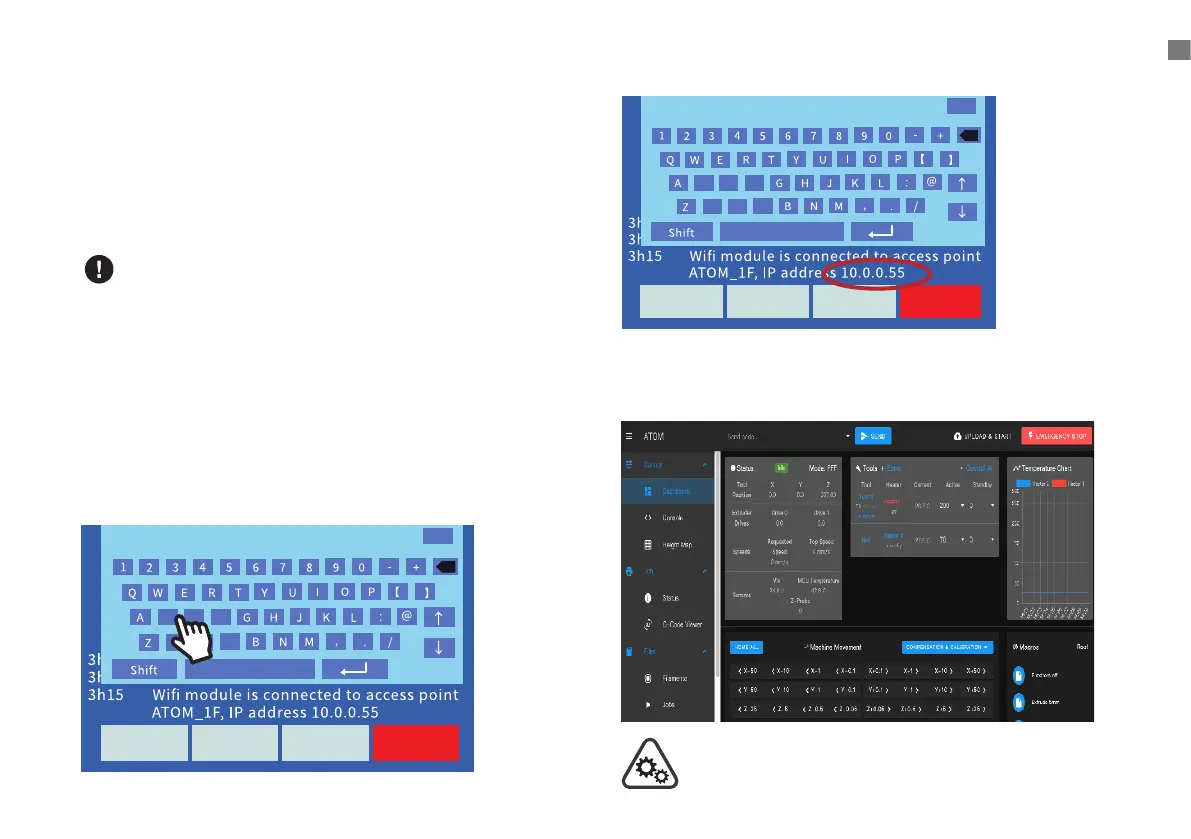
1. M552SpaceS0 (Close Wi-Fi)
2. M587SpaceS"Wi-Fi name"SpaceP"Wi-Fi password"
3. M552SpaceS1 (Turn on Wi-Fi)
4.
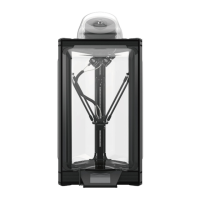
B. Wait a few seconds, the screen will display the IP
location of the printer, enter the IP location into the web
address area of the browser, press Enter to connect
to the printer, the connection screen appears and the
connection is successful.
For Exsample:10.0.0.55
DO NOT type Space
WI-FI SETTING


 To Next Page