011 Idle
Position
X 0 0
Y 0 0
Z 337 3
Bed Calibration Extrusion
Macro
Fan 0%
HOMEConsoleMove
STOPControlPrint Setup
Nozzle 1 Hot Bed
200
70
23.3 24.2
1
16
Printing Environment
FDM needs to be printed in a constant temperature
environment, the printing quality will be more
stable. Try not to print in the direct air-conditioning
environment and the indoor temperature is too low.
PRINTING ENVIRONMENT
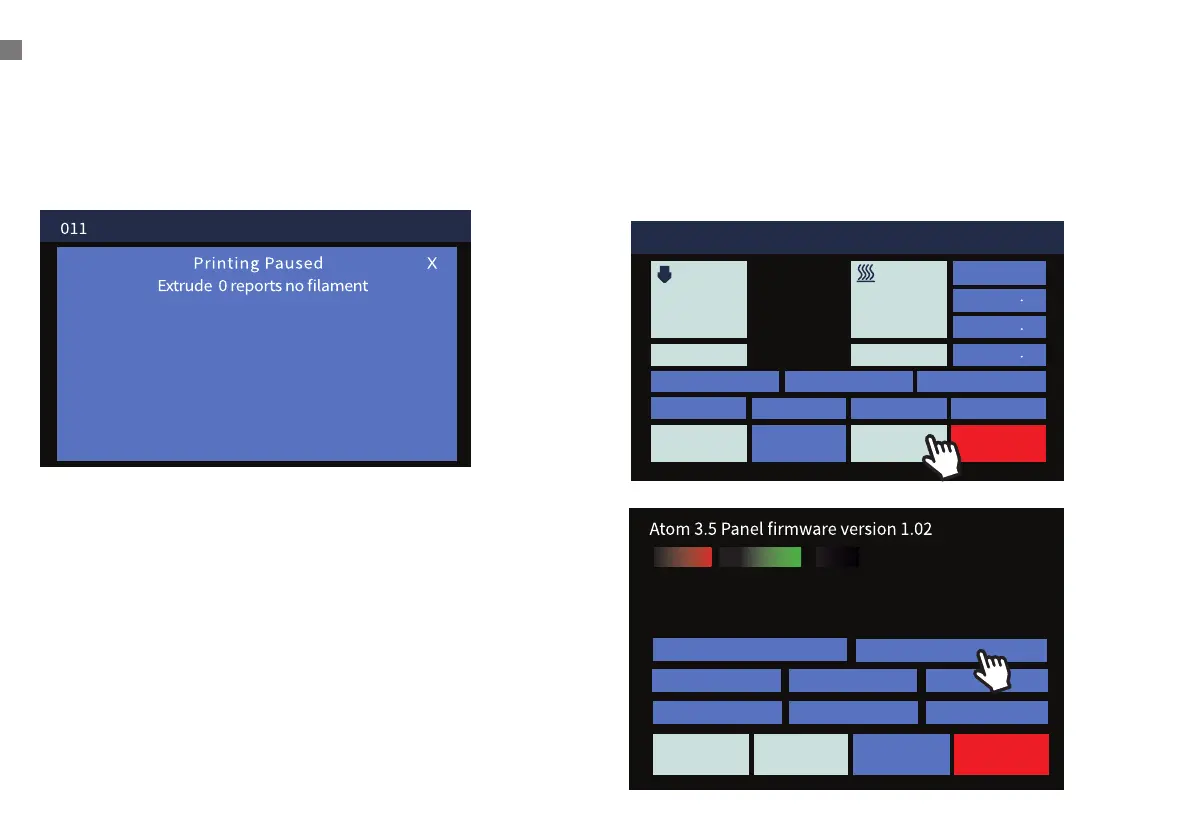
Filament Runout Sensor
If the sensor fails to detect the wire, the screen will
prompt you.vPlease re-import the filament.
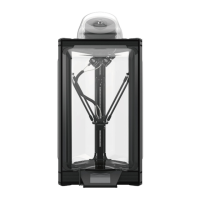
Language Setting
Click
[ Setup ] > [ en ]
to switch language into English
pannel.
Pause
∑㞘
STOPControlPrint Setup
Always dim Info timeout 0
Clear settings
Calibrate touch Brightness - Brightness +
Volume 3
en


 To Next Page