SMA&SMQ - User manual010
Front panel
SMA Series
SMQ Series
Front panel description
Chapter 2
Overview SMA & SMQ
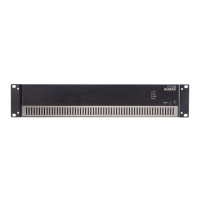
The front panel of all SMA/SMQ ampliers is almost identical, with few minor differences between the different
models. The SMA series ampliers (2-channel versions) only have two output selection buttons, while the SMQ
series ampliers (4-channel versions) have four. Other provided features such as USB port, LCD display and
rotary selection dial are identical for all models.
USB port
A USB port is provided on the left side of the front panel. This is meant for inserting ash drives with conguration
les to load into the amplier or duplicating system conguration les to the inserted medium. The inserted ash
drive shall support FAT32 lesystem.
Graphical LCD display
A clear system overview and intuitive user interface is provided on the 2.5” graphical LCD display. This true
colour display provides a clear overview of the ampliers operation mode guaranteeing a user friendly experience
when browsing through the menu structure.
Rotary selection dial
Browsing through the menu structure and adjusting parameters is made easy with the rotary selection dial.
This multifunctional rotatable dial allows easy one-hand operation throughout the entire menu structure.
Browsing can be done by turning it while actions will be taken when pressing it.


 To Next Page
 Loading...