106 Adaptive cruise control
@ Distance
Using t he arrow s and sca le, you can de t ect
how fa r it is to the vehicle in front of you.
- Open road: No a rrow appea rs whe n t he ve-
hicle is on a n open roa d a nd the re is no vehi-
cle a head.
- Driving in traffic : If a veh icle is detected
ahead, the arrow moves on t he scal e . The
gree n area represen t s the distance set.
When app roa ching slowly, t he arrow move s
from t he
gray zone t o the green zo ne on t he
sca le .
- Request for driver to assume control: When
appro achi ng rapidly, the a rrow serve s as an
ear ly wa rning signa l. If t he distance select -
ed is excee d ed o r possib ly not reached, the
arrow moves into the
red zone on the scale.
In certa in d riving situations, you as the dr iv-
er will have to take act ion ¢
page 108, Driv-
er intervention prompt.
@ Status
- The text ACC OFF appears in wh ite lette rs
when adaptive cruise control is t urne d off.
- The text
ACC AVAILABLE appears in w hite
letters when the system is t urne d on but no
desired speed has been set.
- The text
OVERRIDE appears in white letters
when you exceed the desired speed by acce l-
erating.
- The text
DISTANCE! appea rs in red letters
when the interval to a veh icle traveling
ahead is too short and you have to slow your
vehicle additionally with the foot brake.
- The text messages DISTANCE 1 to DIS·
TANCE 4
appear in green letters to ind icate
the time inte rval you have set and adaptive
cruis e control is in management mode .
- If the dr iving program "standard" is re-
placed by "comfort" or "dynamic" usi ng the
radio or
MM!*, t he above text message is
suppl emented by a n ap propr iate prom pt,
e.g. DISTANCE 1 - dyn ..
System status indicator
Appli es to vehicles : with adapt ive cruise contro l
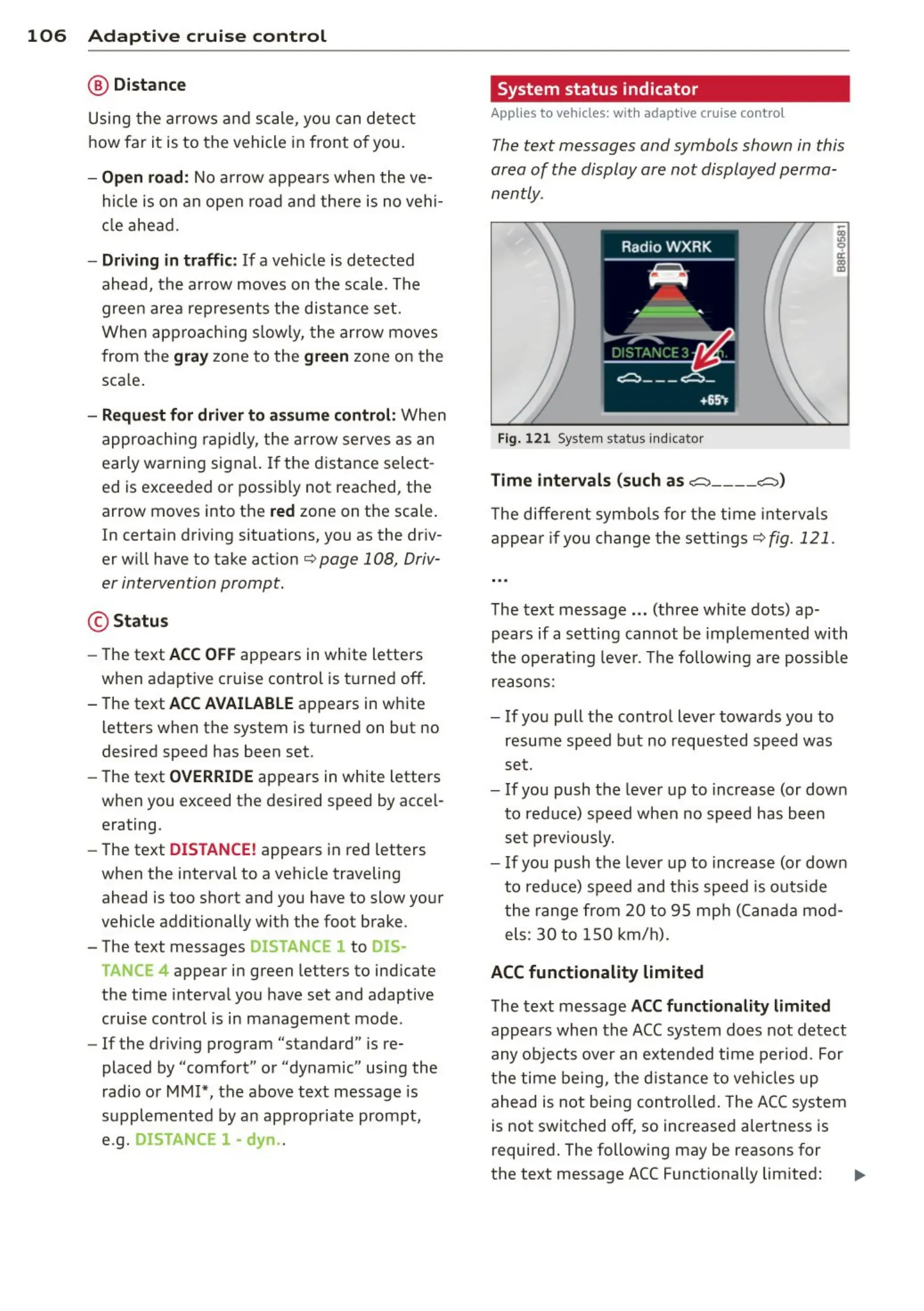
The text messages and symbols shown in this
area of the display are not display ed perma-
nently .
Fig. 12 1 System sta tus indicat or
Time intervals (such as ._::::::, ____ ._::::::,)
The diffe rent sym bols for t he time int e rvals
appe ar if you change t he settin gs¢ fig. 121.
The t ext message .. . (three whi t e dots) ap-
pears if a setting can not be imp lemented with
t he ope rat ing leve r. The following a re possib le
reasons:
- If you pull the contr ol lever towards you to
resume speed but no request ed speed was
set .
- If you push the leve r up to increas e (or dow n
t o red uce) speed when no speed has been
se t previou sly.
- If you push t he leve r up to increas e (or dow n
t o reduc e) s peed and th is speed is out s ide
t he ran ge fro m 20 to 95 m ph (Canad a mod -
els:
30 to 150 km/ h).
ACC functionality limited
The t ext message ACC functionality limited
appea rs whe n th e ACC system does not d ete ct
any o bjects over an exten d ed t ime per iod . For
th e t ime being, th e d ist an ce to veh icles up
ahead is not being con t rolled. The ACC system
is not switched off, so increased alertness is
require d. The following may be reasons for
the text message ACC Functionally limited: ..,



 To Next Page