may not be sufficient for the Homelink ® sys-
tem to learn the radio frequency signal. Per-
form all other steps as described above .
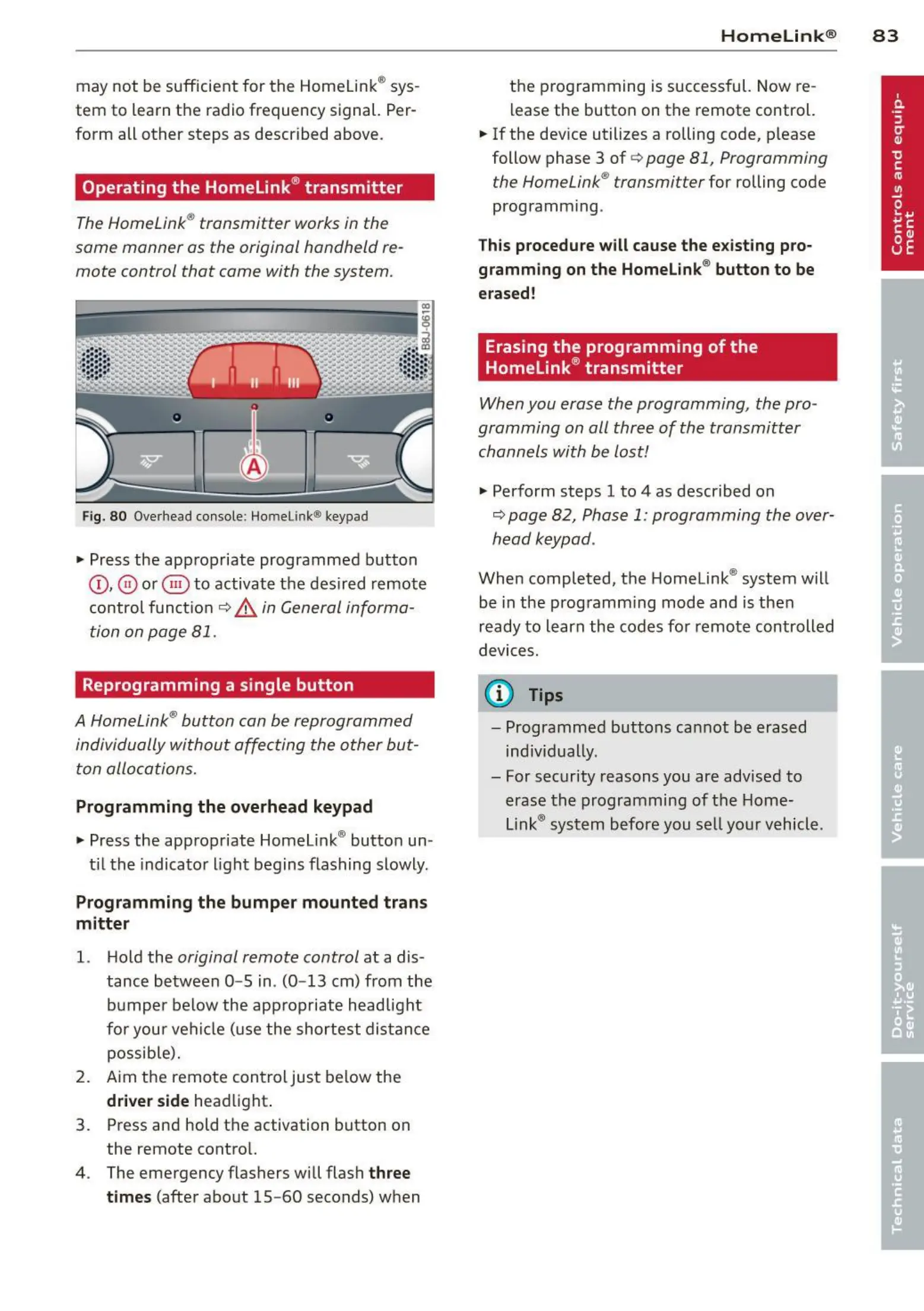
Operating the Homelink ® transmitter
The HomeLink® transmitter works in the
same manner as the original hand held re-
mote control that came with the system.
Fig. 80 Overhead conso le: Home lin k® keypad
• Press the app ropriate programmed button
©, @ or @ to activat e t he des ired remote
control func tio n
¢ &. in General informa-
tion on page 81.
Reprogramming a single button
A HomeLink® button can be reprogrammed
individually without affecting the other but-
ton allocations.
Programming the overhead keypad
• Press the app ropriate Homel ink® butto n un -
t il t he indicato r light begins flas hing slowly.
Programming the bumper mounted trans
mitter
1. Hold the original remote control at a dis-
tance between
0- 5 in. (0- 13 cm) from the
bumper below the app ropriate headlight
for you r veh icle (use the shortest dist an ce
possib le).
2. Aim the remote cont rol just below the
driver side head light.
3. Press and hold the activation button on
the remote contro l.
4 . The emergency flashers will flash
three
times
(afte r about 15- 60 seconds) when
Homelin k® 83
t he programming is successful. Now re-
lease the button on the remote control.
• If the dev ice utilizes a rolling code, please
follow phase 3 of ¢
page 81, Programming
the HomeLink® t ransmitter
for rolling code
programm ing .
This procedure will cause the existing pro·
gramming on the Homelink ® button to be
erased!
Erasing the programming of the
Homelink ® transmitter
When you erase the programming, the pro-
gramming on all three of the transmitter
channels with be lost!
• Perform steps 1 to 4 as descr ibed on
~ page 82, Phase 1: programming the over-
head keypad .
When completed, t he Homelink ® system will
be in the prog ram ming mode and is then
ready to learn the codes fo r remote controlled
devices.
(D Tips
- Programmed buttons can not be erased
ind ivid ually.
- For security reasons you are advis ed to
erase t he programming of t he Home-
Link® system before you se ll your vehicle .



 To Next Page