18
Rev.1.25
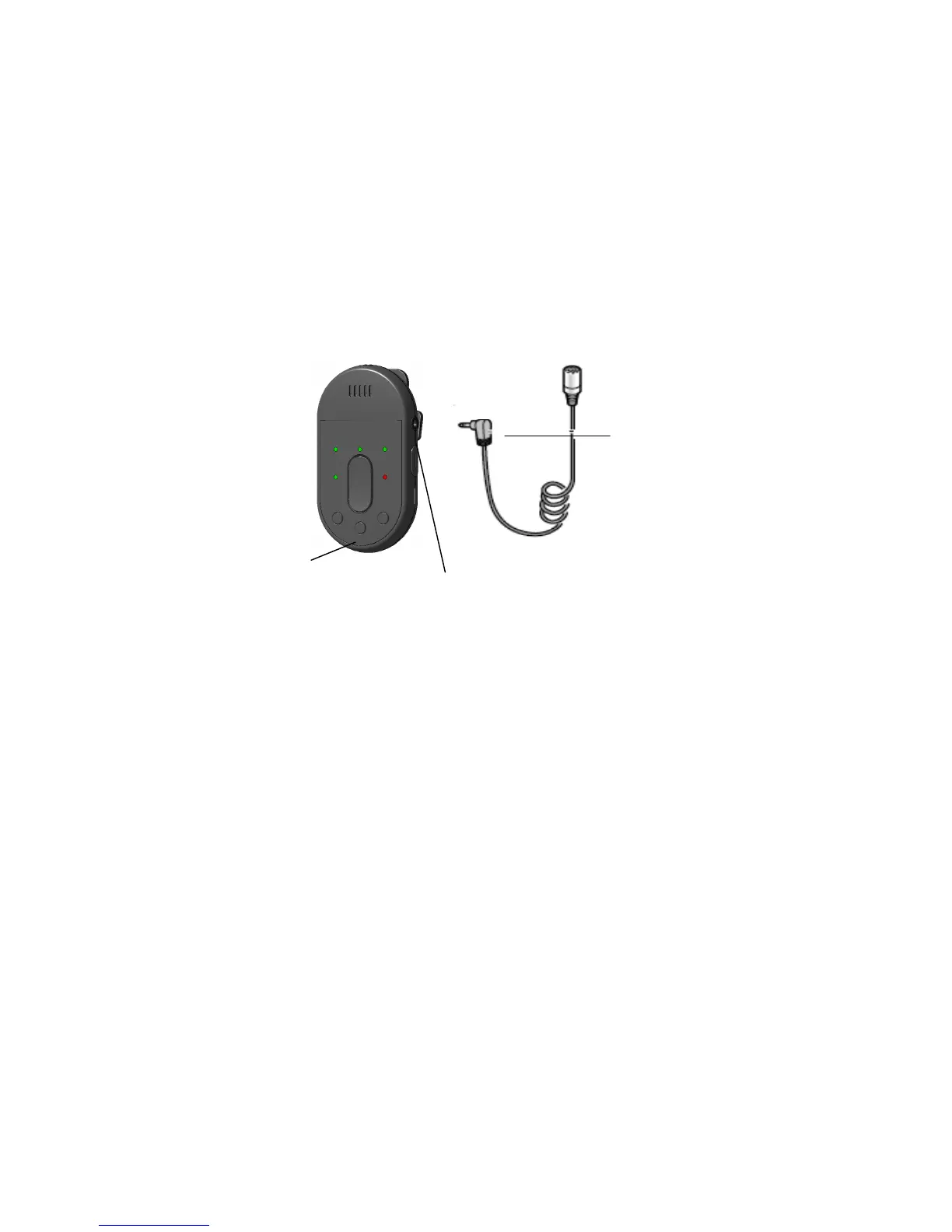
Connecting an external microphone
This function allows you to use an external microphone instead of the microphone opening of this
microphone. Connect an external microphone (for example, an electret condenser microphone) to
the microphone input terminal of the microphone, and transmit the audio to the receiver.
1) Turn off the power of the microphone.
2) Using the ø3.5 mini-plug, connect the external microphone (for example, a commercially
available electret condenser microphone) to the microphone input terminal.
3) Turn on the power of the microphone.
Important:
• Do not connect external devices (CD players or MP3 players) to the microphone input terminal.
Loud noises that result may damage your hearing. When an external device is mistakenly connected,
turn off the power of the microphone and the external device, disconnect the plug, and connect the
device to the external input terminal on the other side of the microphone.
Note:
• Once the ø3.5 mini-plug is plugged into the microphone input terminal, priority is given to this audio
transmission from an external microphone and the audio from the microphone opening will not be
transmitted.


 To Next Page