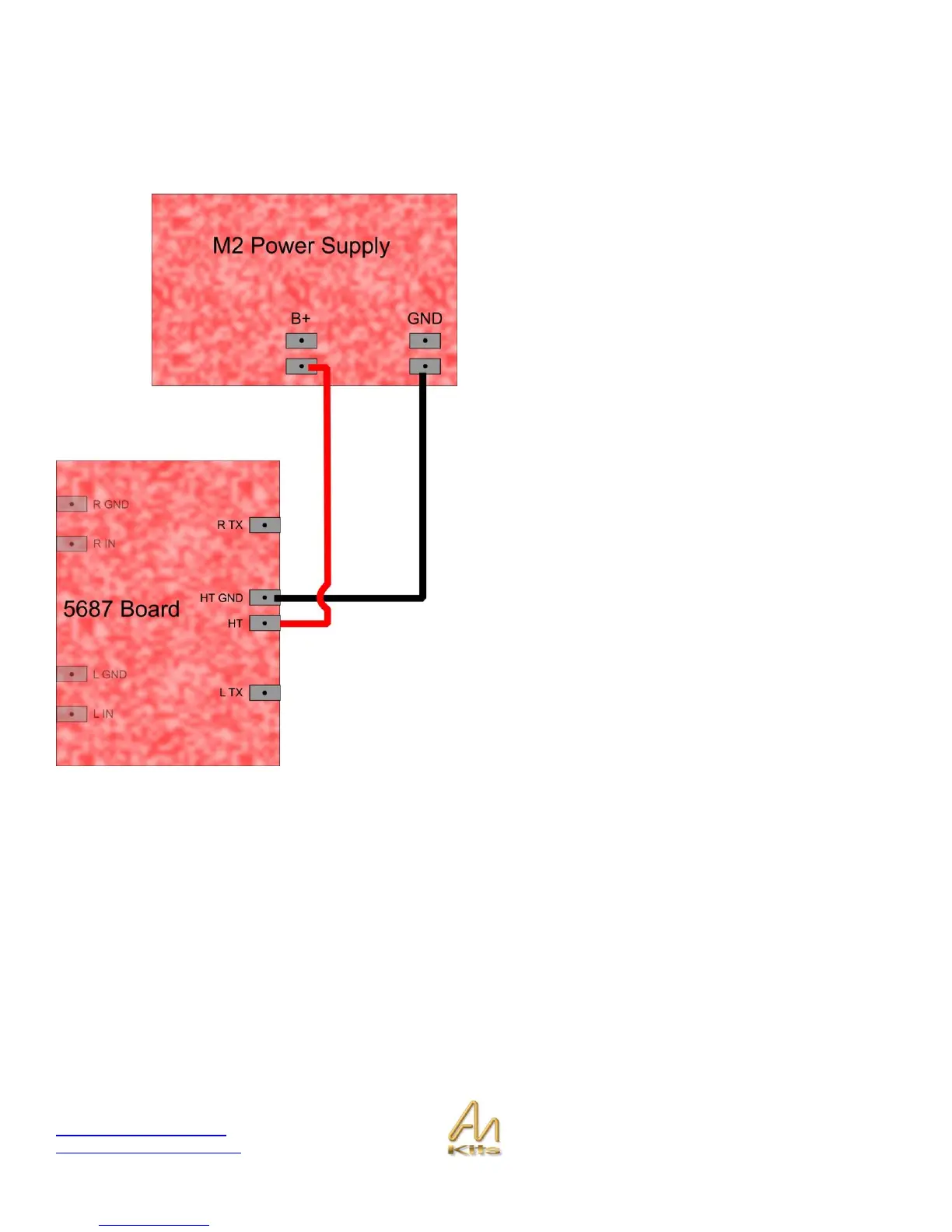
First, we need to connect the 5687 board to the M2 Power
Supply board. The connections for this can be seen in the
diagram shown opposite.
Take a red wire and connect between the HT pad on the
5687 board and one of the B+ pads on the M2 Power
Supply board.
Take a black wire and connect between the HT GND pad
on the 5687 board and the GND pad on the M2 Power
Supply board.
It is a good idea to connect to one board and twist the wires
together - making a twisted pair, before connecting to the
other board.
Connecting the Output Transformers
We essentially have two different types of output transformer when it comes to connecting up. The first (Type 1) can only
be connected in single-ended mode. The second (Type 2 - which includes Double C-Core types) can be connected in
either single-ended or balanced configuration. Please ensure that you are using the connection information that is relevant
to the transformers that you have purchased with the kit.



 To Next Page