6
Additional MAC audio settings
We have set the Audacity playback and record settings. Now it’s time to set the
separate Macintosh audio playback and record settings.
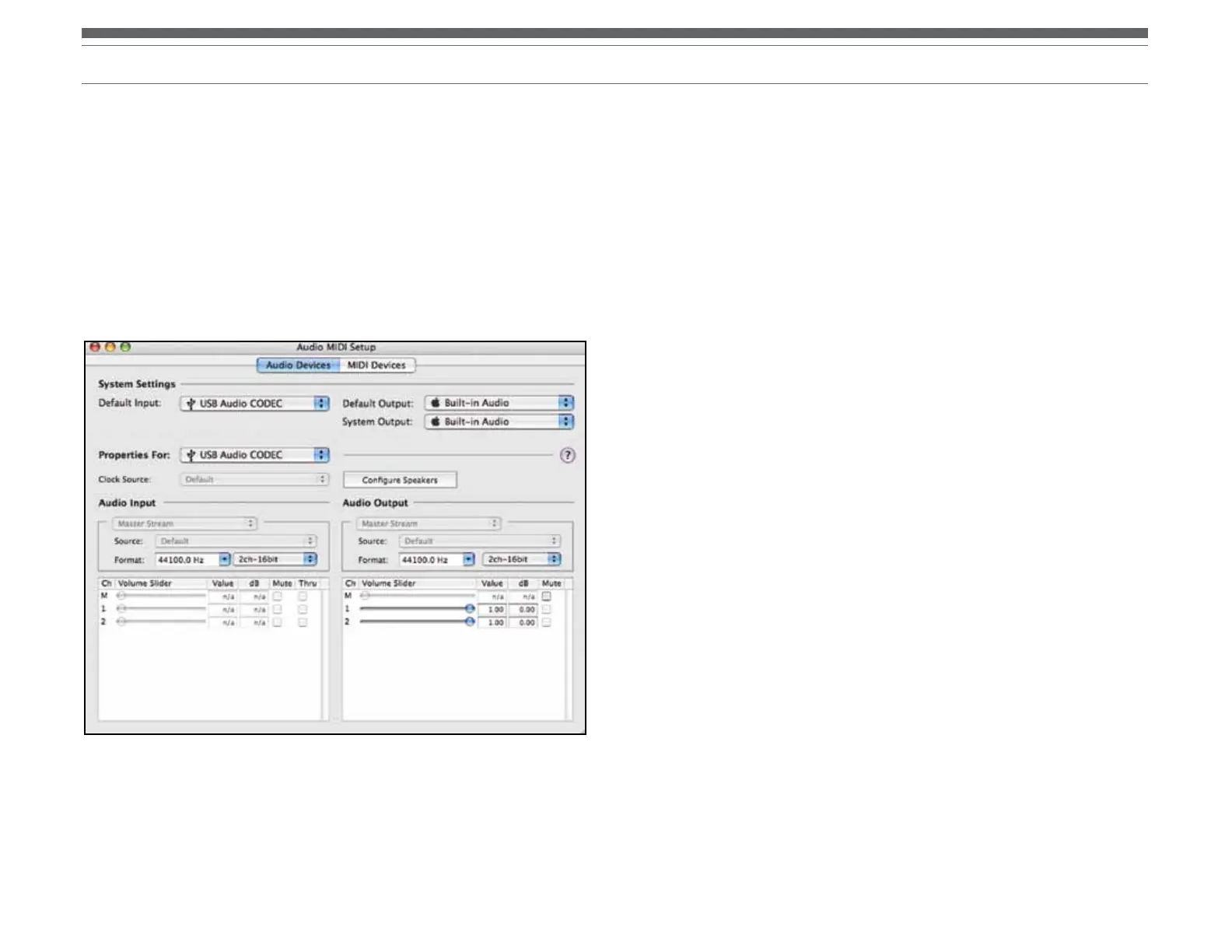
1. Go to Applications > Utilities > then select and open Audio MIDI Setup.
2. In the Audio Midi window under the tab Audio Devices, select the following:
• Under System Settings, Default Input, select USB Audio CODEC.
• Under System Settings, Properties For, select USB Audio CODEC.
• Under Default output, select Built-in Audio, or Built-in Output.
• For System output, select Built-in Audio.
This will allow other programs (in addition to Audacity) to use your Mac’s internal sound
card for audio output.


 To Next Page
 Loading...