CHAPTER6 Performing Administrator-Related Operations
C448HD C450HD | Users & Administrator's Manual
Updating Microsoft Teams Devices Remotely
ForinstructionsonhowtoupdateMicrosoftTeamsdevicesremotely,seehere.
Applying Firmware to a Phone from a USB Disk
Forrecoverypurposes,firmwarecanbeappliedtoaphonefromaUSBdisk.
➢ To apply the firmware from the USB disk:
1. Enterrecoverymodebysimultaneouslypressingthe‘back’key+theMENUkey;the
device’sLEDlightsupred.
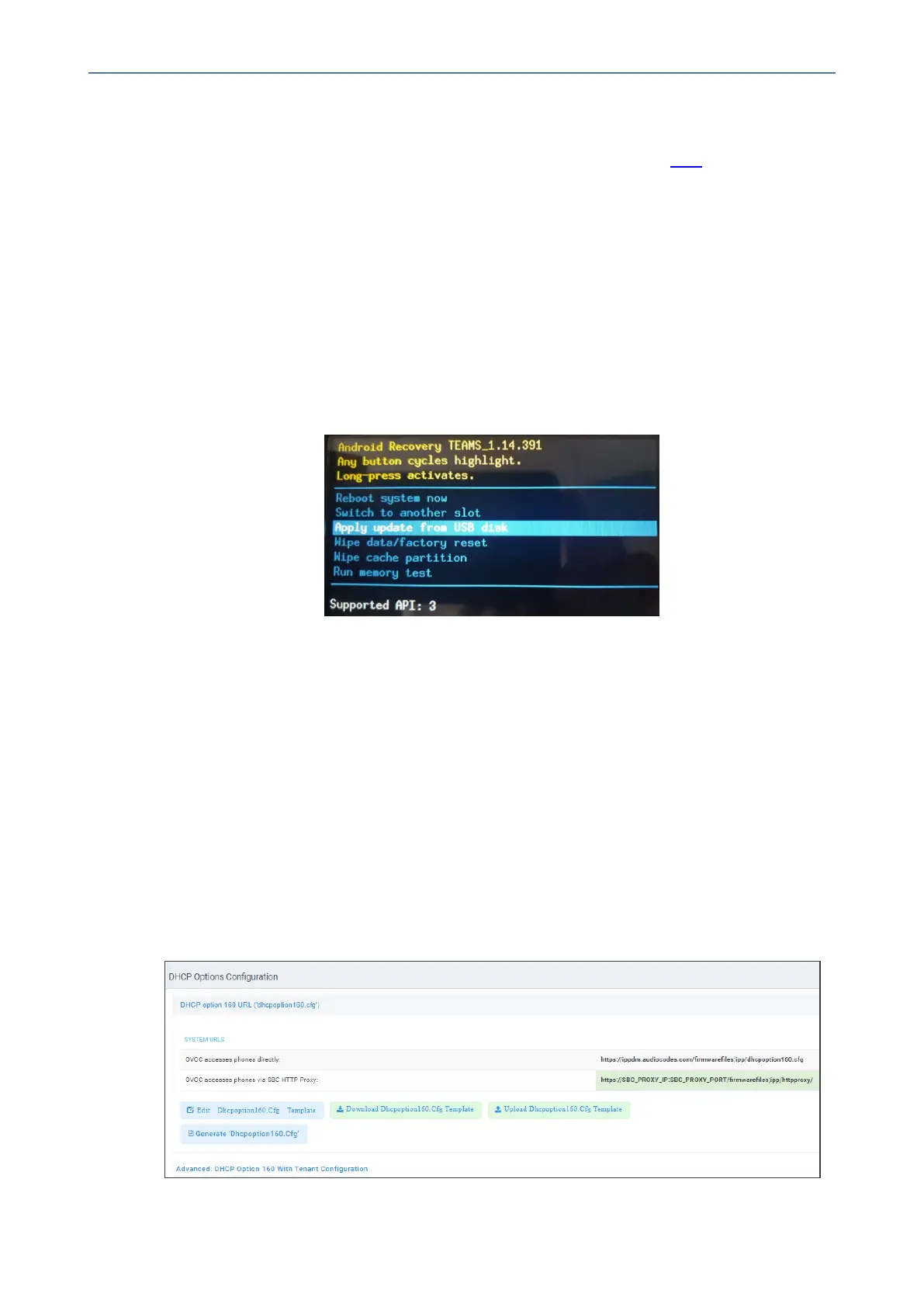
2. InserttheUSBdiskwiththetargetfirmware.
Figure 6-1: Apply update from a USB disk
3. Selectthe‘ApplyupdatefromUSBdisk’optionandthenchoosethecorrectfirmware
imagefromthedisk.
Managing Phones with the Device Manager
AudioCodes'DeviceManagermanagesAndroid-basedTeamsphonesinasimilarwaytoUC-
typephones.Teamsphones'configurationparametersareinthesameformatasUCphones.A
.cfgconfigurationfileisdefinedforeachdevice.DeviceManagerversion7.8.2000andlater
supportsAndroid-basedTeamsdevices.
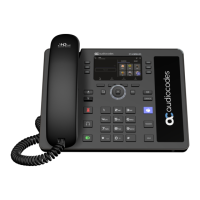
ZeroTouchProvisioningissupportedinanon-tenantawaremanner;eachlocalDHCPOption
160mustbeconfiguredwithafully-specifiedURLpointingtodhcpoption160.cfgasshown
here:
Table 6-2: DHCP Option 160 URL
- 103 -









 To Next Page