CHAPTER7 Troubleshooting
C448HD C450HD | Users & Administrator's Manual
➢ To enable Remote Logging via Syslog from the phone:
1. LogintothephoneasAdministratorandgoback.
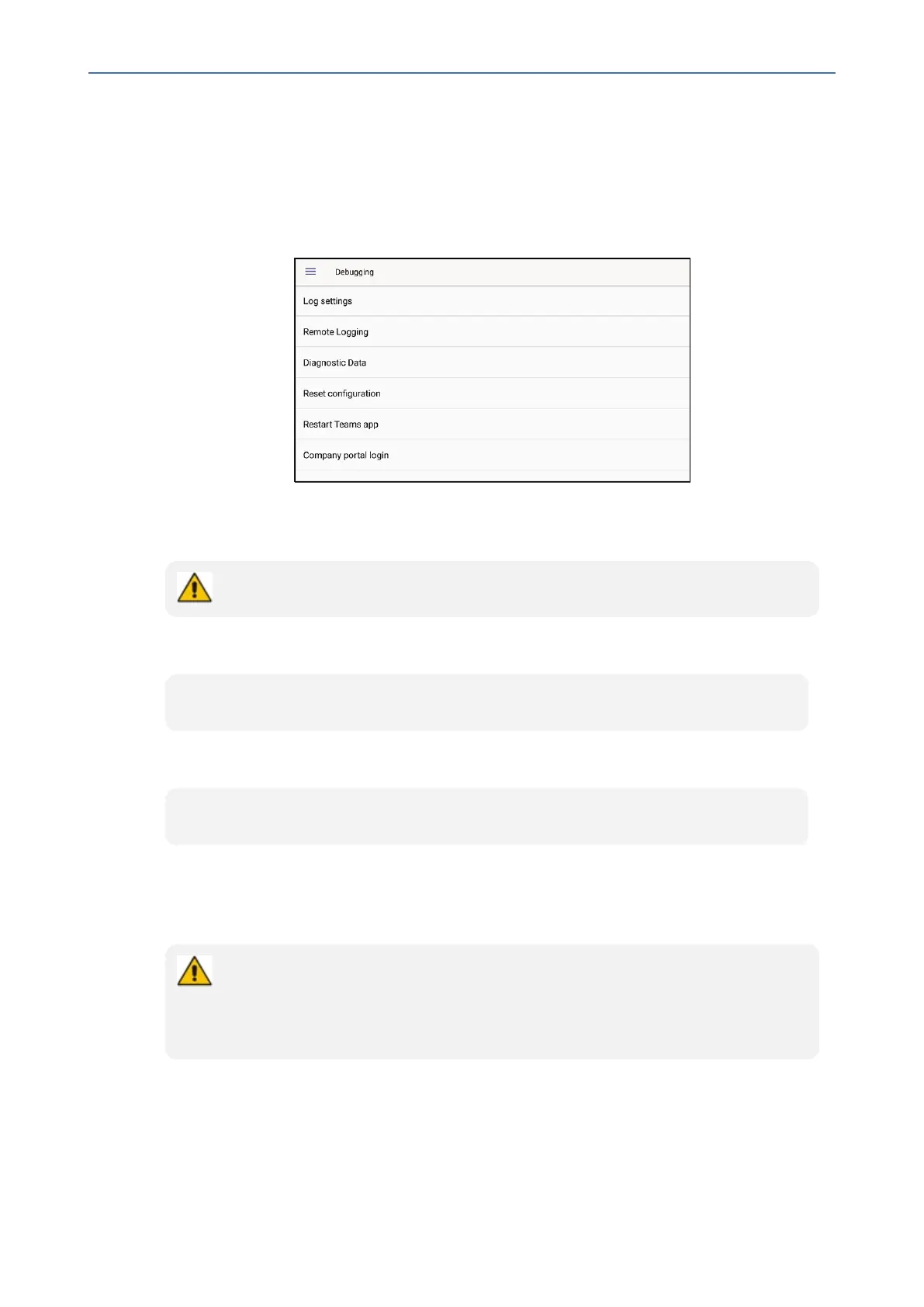
2. Inthe‘Deviceadministration’screen,selectDebugging.
3. SelectRemote logging.
4. Configurethe‘RemoteIPaddress’and‘Remoteport’andenable‘RemoteLogging’;the
devicestartssendinglogstotheSyslogserver.
Network administrators can also enable Syslog using Secure Shell (SSH) protocol.
➢ To enable Syslog using SSH protocol, type the following command at the shell prompt:
setprop persist.ac.rl_address <syslog_server_ip>:<port>.
➢ To disable Syslog using SSH, type the following command at the shell prompt:
setprop persist.ac.rl_address ""
Getting Diagnostics
Networkadministratorscangetdiagnosticsinformationtofacilitatedebugging.
Network administrators who need to get diagnostics info from the device can dump
the logs to the phone’s Secure Digital (SD) Card and then later collect them using
Secure Copy Protocol (SCP) based on Secure Shell (SSH) protocol. Whenever an
issue occurs, the administrator can dump the logs into the SD Card.
➢ To get diagnostics info:
1. LogintothephoneasanAdminuser
2. OpentheDebuggingscreen(Device Administration>Debugging).
- 117 -









 To Next Page