Page 08
4: System Operations
Switching on and off
The 9000P should be switched on after the preamplifier or source devices in your system. When switching off your system, turn off the 9000P power amplifier before switching
off the preamplifier or source devices (the 9000P should be ‘last on, first off’).
Standby Mode
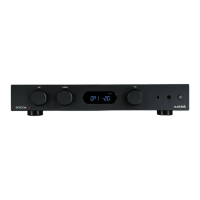
The 9000P will enter standby mode after being powered on. Press the “Standby” button to bring the 9000P out of standby, the power indicator LED becomes brighter.
Auto Standby
The auto standby feature will by default put the unit into standby after 20 minutes of inactivity. This feature can be configured and set to 20 minutes, 1h or ‘never’.
Long press the standby button on front panel for 5 seconds to activate the 'auto standby' setting. The standby LED will flash as you cycle 20m, 1h or never.
Standby LED flashes once = Never
Standby LED flashes twice = 20 minutes (Default)
Standby LED flashes three times = 1 hour
Source Select
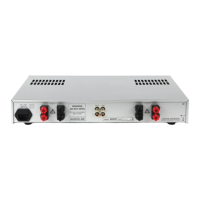
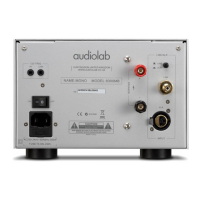
Press the LINE/XLR button on the rear panel to select different source mode.
Bridge Mode
The Audiolab 9000P can operate as a stereo power amplifier (stereo mode) or a mono power amplifier (bridge mode).
To activate MONO mode, press the STEREO/BRIDGE selector ‘in’ on rear panel.
You will need two Audiolab 9000P amplifiers if using bridge mode (one for each channel). Connect the 9000Q to two 9000P units in the bridge mode connection as shown in on
the next page of this manual.
Protection Mode
The Audiolab 9000P is protected by a thermal switch which interrupts the AC power supply if the amplifier is grossly overloaded for a period of time. In case of activation of the
‘protection mode’ the power indicator LED flashes to indicated that the unit is in ‘protection mode’. To restore operation, simply press the standby button on the front panel.
The Audiolab 9000P is fully protected against gross load and a short circuited output. The unit is not necessarily protected against seriously inadequate ventilation, so please
ensure appropriate ventilation to prevent any overheating associated with lack of air-flow or environmental cooling of the unit.
Important
Safety Information
Getting Started
Contents
Controls and Functions
Connections
System Connection
System Operations
Warranty Coverage
Specification



 To Next Page