5
Main Screen Interface
After the unit is turned on, the system will enter Radio mode by default.
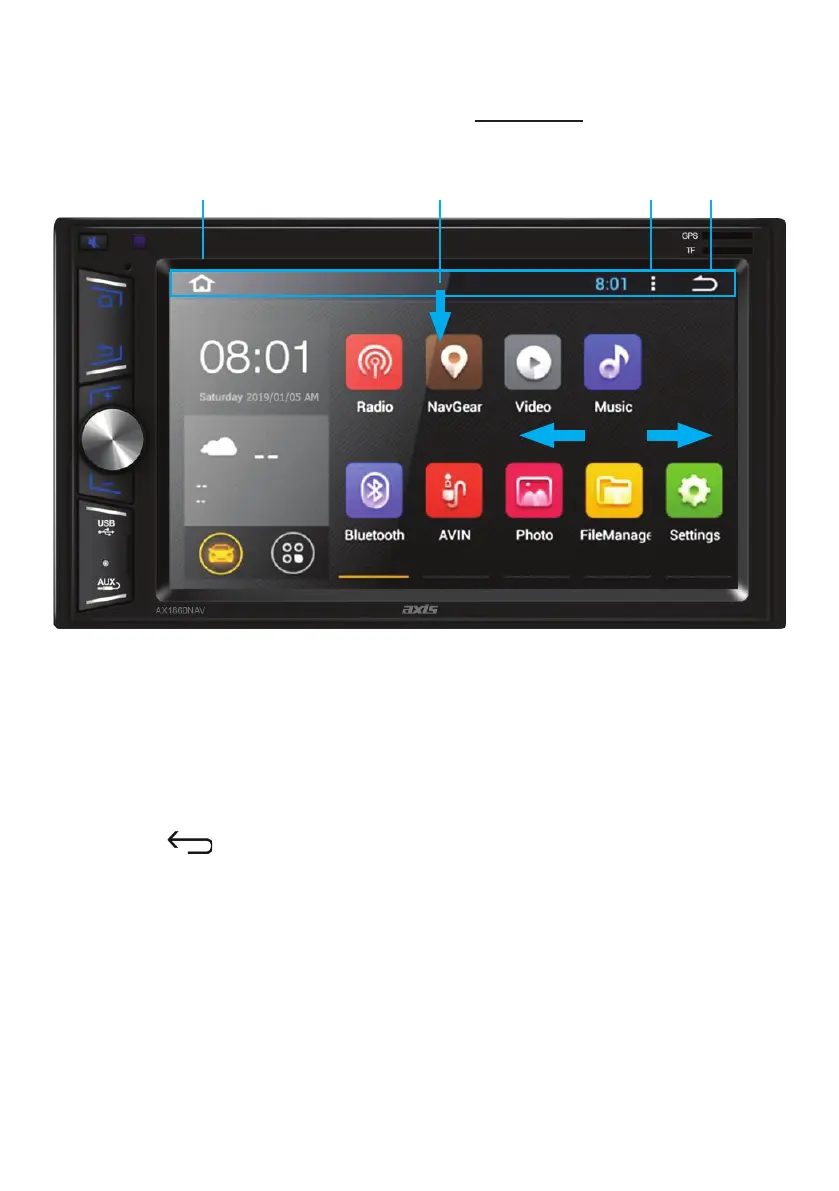
Press the HOME icon to enter the Home Page.
1. Press the Home icon to go back to the home page.
2. Slide down here to reveal the Settings Icon, System Info & SD Card status.
Press the down arrow (V) to access Wi-Fi settings, Hot Spot On/O,
Screen Shot, Clean Memory.
3. Press the les image to display open/running les & functions. Press the X
symbol to close.
4. Press the symbol to return to previous.
5. Touch the icon to select your desired function.
6. Slide Left or Right to scroll through pages.
1. 4.3.2.
6.


 To Next Page