2. Refer to table and check if swing angle of the actuator corresponds to the setting
of the reduction gearing (stages 1– 9).
If the setting is not correct: continue with step 4.
If the setting is correct: continue with step 7.
Table 22:
Actuator swing angle and suitable reduction gearing setting
SQ 14.2SQ 12.2SQ 10.2SQ 05.2 / SQ 07.2
432230° +/–15°
543360° +/–15°
643390° +/–15°
6543120° +/–15°
6544150° +/–15°
7544180° +/–15°
7654210° +/–15°
7655290° +/–70°
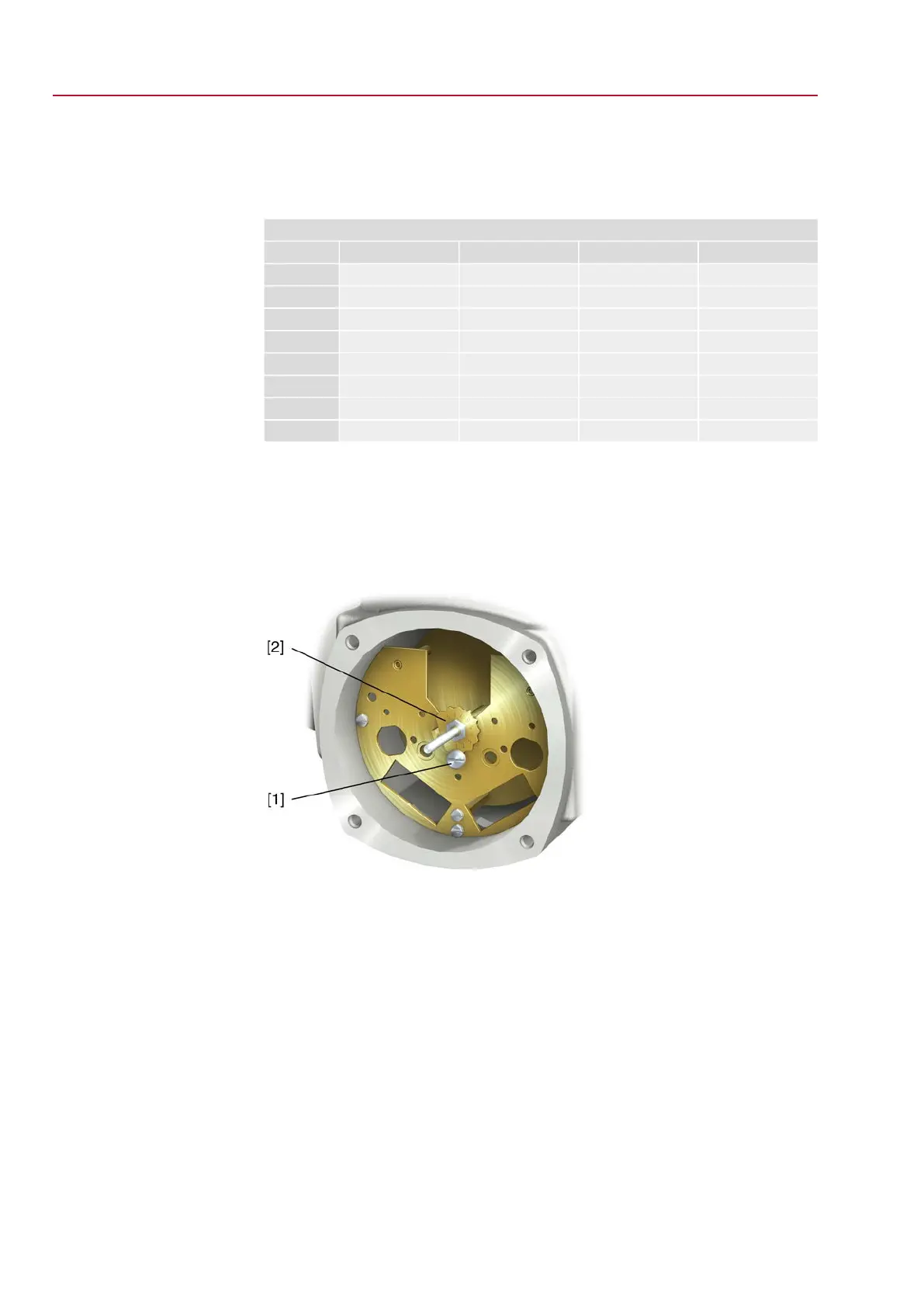
3. Loosen screw [1].
4. Set crown wheel [2] to desired stage according to table.
5. Tighten screw [1].
6. Place indicator disc on shaft.
7. Set mechanical position indicator.
Figure 68: Control unit with reduction gearing
[1] Screw
[2] Crown wheel
60
SQEx 05.2 – SQEx 14.2 / SQREx 05.2 – SQREx 14.2 Control unit: electronic (MWG)
Commissioning (settings in the actuator) ACExC 01.2 Non-Intrusive Modbus TCP/IP



 To Next Page
 Loading...