11
3.1.1 Page Indicator and System Status Bar
Descriptions of icons on the status bar and page indicator are displayed
below (Table 3-1).
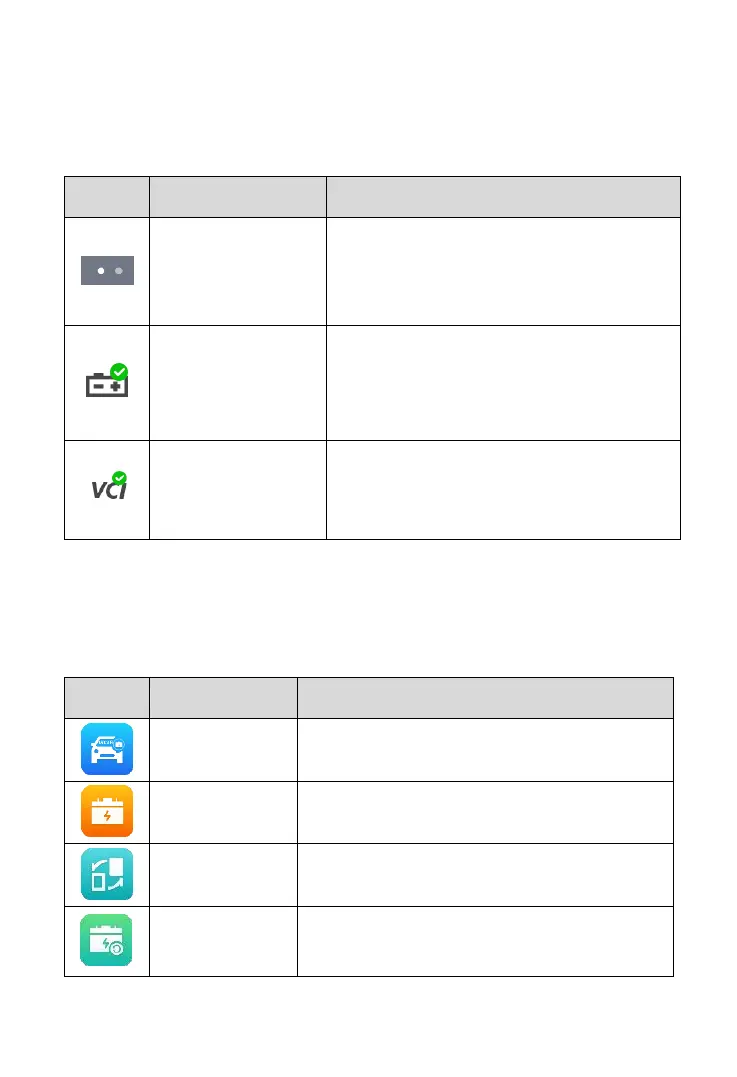
Table 3-1 System Status Icons and Page Indicator
Indicates the position of the current page in
a list of pages. The user swipes the screen
left or right to view the previous or next
page.
A green check mark at the top right corner
indicates the tool is connected to the
battery, while a red X icon indicates there is
no connection.
Green check mark at the top right corner
indicates the VCI device is connected, while
a red X indicates there is no connection.
3.1.2 Application Buttons
Descriptions of the application buttons are displayed below (Table 3-2).
Table 3-2 Applications
Tests batteries that are installed in a vehicle.
See In-vehicle Test on page 16.
Tests batteries that are not connected to a
vehicle. See Out-vehicle Test on page 25.
Operation guide for battery replacement.
See Battery Replace on page 27.
Accesses the Battery Reset function.
See Battery Reset on page 29.



 To Next Page