20
8. Tap the icon on the tab to return to the Vehicle information screen. Tap
Battery Location on the bottom left corner of the screen and review the
battery location diagram.
9. Locate the battery, check the battery information on it, and select the correct
battery parameters on the screen.
10. Confirm the information on the Vehicle information screen. Tap the
corresponding field to manually input the correct parameters if needed. Tap
Next to continue.
4.2 Battery Test
11. The Clamp Connection Diagram will appear. Follow the instructions to
connect the clamp cables correctly and tap Next to continue.
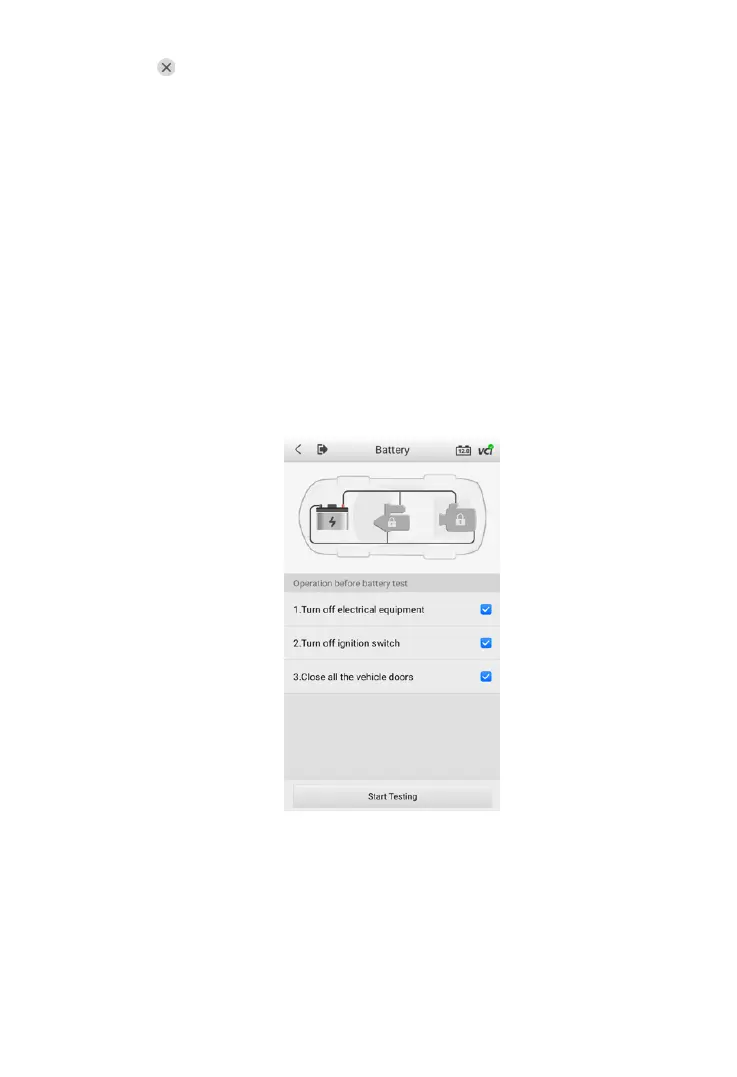
Figure 4-5 Sample Battery Screen
12. Follow the on-screen instructions, check the boxes once listed tasks are
completed, and tap Start Testing.
13. Wait until the test is completed. The test results will be displayed on the tool.



 To Next Page