21
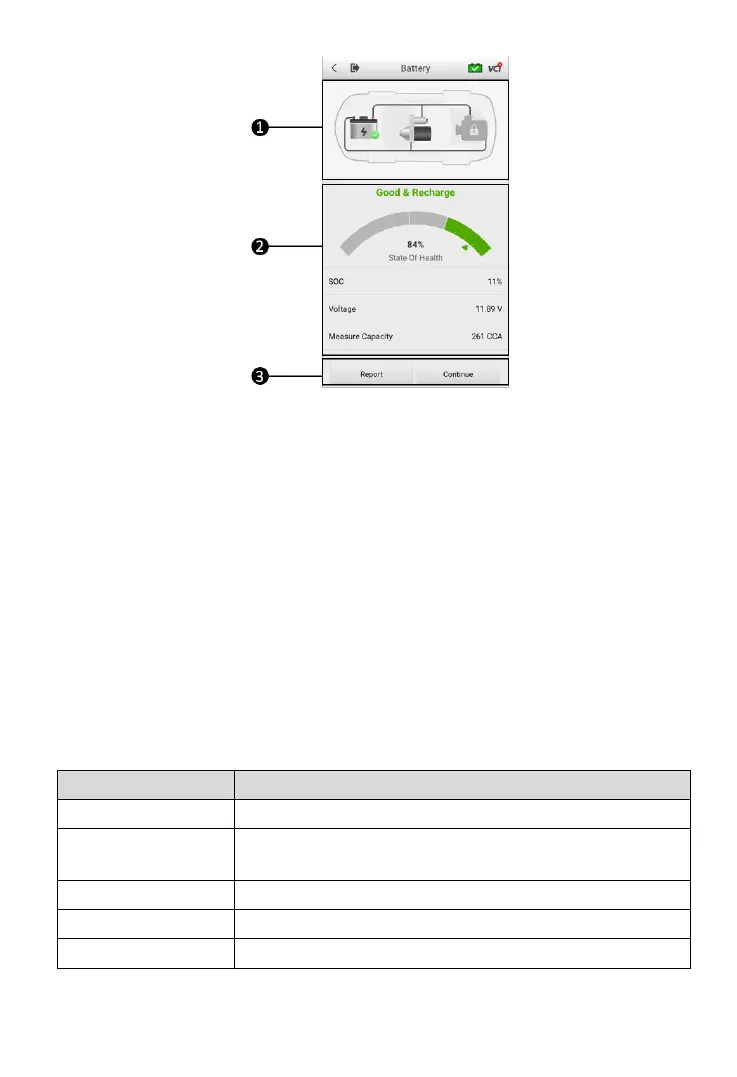
Figure 4-6 Sample Battery Test Result Screen
1. Process Buttons
2. Test Report
3. Function Buttons
Process Buttons
Tap any of the process buttons to advance to the corresponding test — battery
test, starter test or generator test. A status icon will display on the bottom right
corner of the button, indicating the test results.
Battery Test Results
The battery test results include a color-coded result summary, a list of test data,
and repair tips.
Table 4-2 Test Results
Battery is good but insufficiently charged. Recharge the
battery.
Battery requires charge to determine its condition.



 To Next Page