43
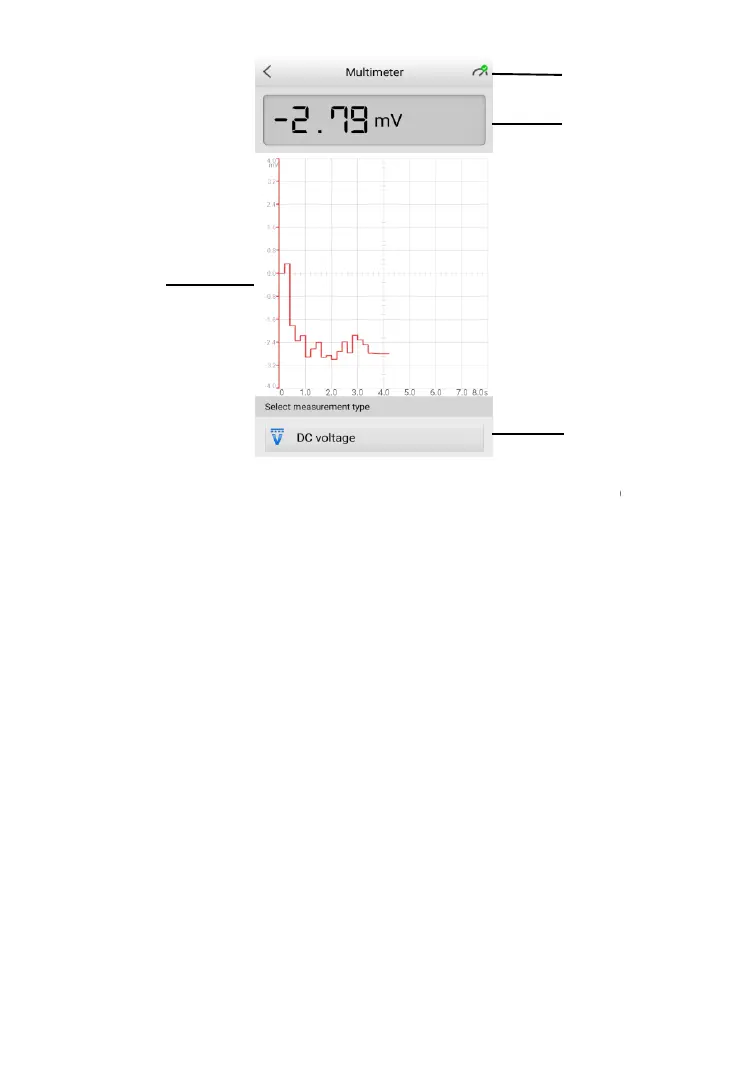
Figure 9-2 Sample Multimeter Test Screen
1. Multimeter icon
2. Digital display
3. Main view section
4. Measurement type selection
9.3.1 Multimeter Icon
The Multimeter status icon indicates the connection status with the tester. A
green check mark means that the tester and the multimeter are connected; a
red “X” means that the device and the tester are not connected.
9.3.2 Digital Display
This section displays the digital measurement results.
9.3.3 Main View Section
The main view section features a coordinate grid with the X-axis representing
the time duration and the Y-axis representing the amplitude level.



 To Next Page