877. 250.7729 | feeder-robot.com877. 250.7729 | feeder-robot.com
24 25
Setting an Automatic Feeding Schedule
via AutoPets Connect App
Determine Feeding Schedule
Before you start, make note of how
many cups of food per day you want
to feed your pet. For reference, stan-
dard veterinary guidelines suggest:
Cats
● Two 1/4-cup meals per day per
cat.
Dogs
● Two 1/2-cup meals per day per
15-pound dog.
● Dogs that weigh 30 pounds or
more may require 2-4 cups of
food per day.
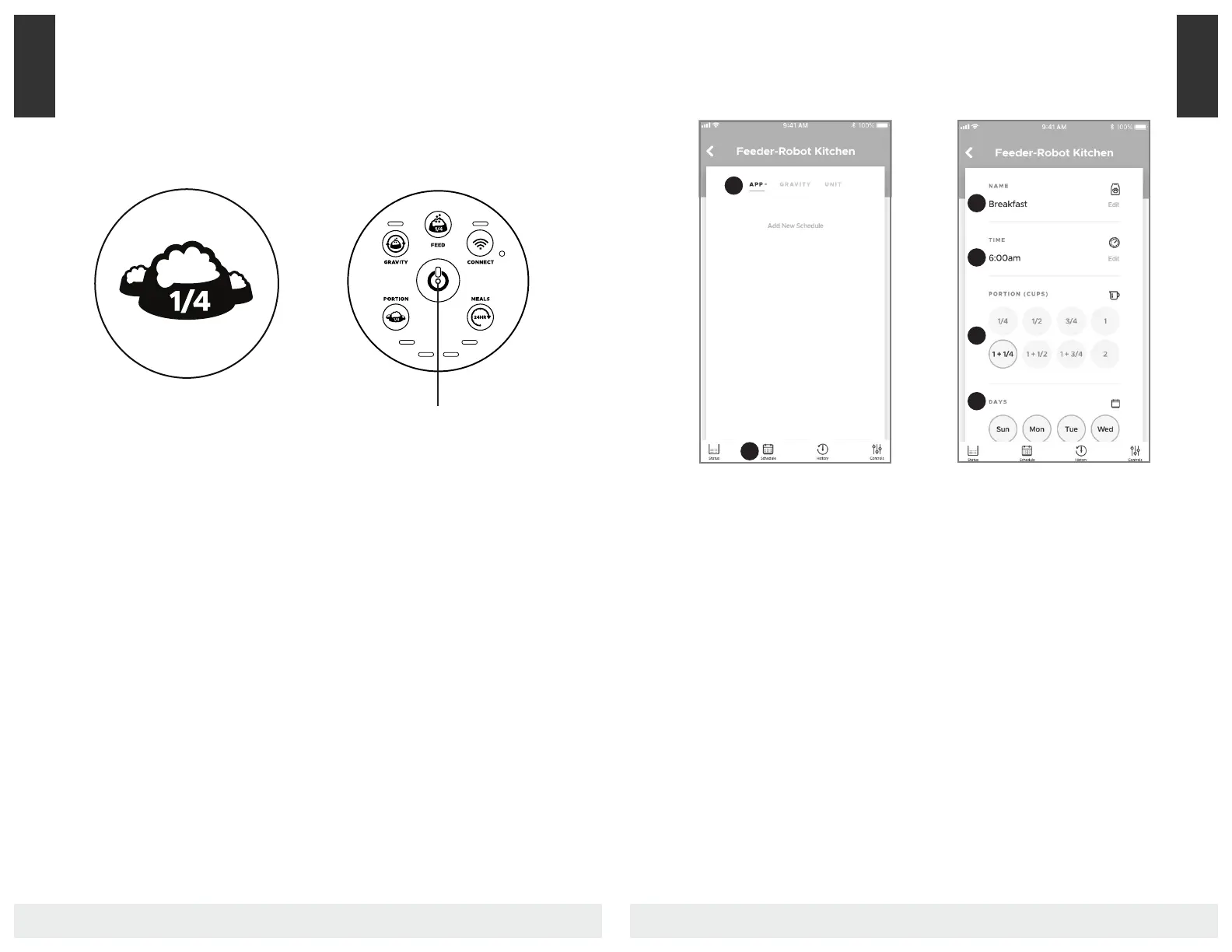
Power On
Make sure the unit is plugged into the
wall.
1. Press the Power button to turn
the Feeder-Robot on.
2. Install and onboard the app (see
page 19).
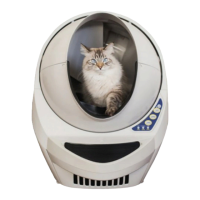
Create Feeding Schedule
1. Click "Schedule" in the bottom
menu to set up your first feeding
schedule.
2. Toggle to "App" mode and add a
feeding schedule.
Set Schedule
1. Name the respective meal (ex.
"Breakfast")
2. Select the time of day the meal
will dispense.
3. Select the portion size.
4. Select the days of the week for
which this feed is active.
5. Save.
Add up to 8 feedings per day and
multiple feeding schedules.
Note: The maximum daily feeding
amount you can set up via the app is
16 cups per day.
Power Button
1
2
1
2
3
4
App
App


 To Next Page