877. 250.7729 | feeder-robot.com877. 250.7729 | feeder-robot.com
34 35
Key Definitions
Anti-Jam Technology: If the Feeder-Robot motor catches something
that it can’t drive past, it’ll stop, come back, and try again up to 5
times.
Automatic Feed Mode: The Feeder-Robot feeds without manual
manipulation; may refer to scheduled feeding (Control Panel Mode or
App Mode) or Gravity Mode.
Bowl Holder: Built-in part of the hopper base that holds the
removable bowl.
Bowl Holder Lip: Area near the chute where food is dispensed
that the bowl must securely fit under; otherwise, food may back up
against the rim of the bowl.
Chute: Opening in hopper base where food passes through and
dispenses into a bowl.
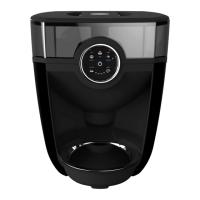
Control Panel: Area on front of feeder with six buttons responsible
for powering the unit and scheduling meals (unless in App Mode).
Control Panel Lockout: Temporarily disables the functioning of the
Control Panel buttons.
Control Panel Mode: An automatic scheduled feeding mode set up
on the Control Panel via the Portions button and Meals button.
Flapper: A soft, flexible, thin piece off the Rocker which helps food
pass into the chute.
Gravity Mode: An automatic feeding mode that ensures that the
Feeder-Robot bowl remains full based on a check every 60 minutes.
Hopper: Holds dry or semi-moist pet food with a 30- to 32-cup
capacity; removable.
Hopper Base: Holds hopper and bowl. Main part of feeder with the
Control Panel.
Hopper Insert: A removable insert for the hopper that is built to
hold large, square, and/or oddly-shaped pet food kibble that is more
likely to get caught or create a “bridge” in the motor. Hopper
insert reduces the overall capacity, so customers that are using small
foods (below 5/8" kibble) could gain capacity if they don't use the
insert. Customers using medium or larger foods (greater than 5/8"
kibble) should use the insert, to ensure the feeder works as intended.
Feeder is compatible with all dry/semi-moist kibble with the insert
installed.
Hopper Lid: Fits on top of hopper to cover the pet food.
Indicator Tower: Light indication within the hopper that shows the
status of the unit or if an error has occurred.
Rocker: The hard piece of plastic that fits in the hopper and
dispenses food into the chute by rocking back and forth.


 To Next Page